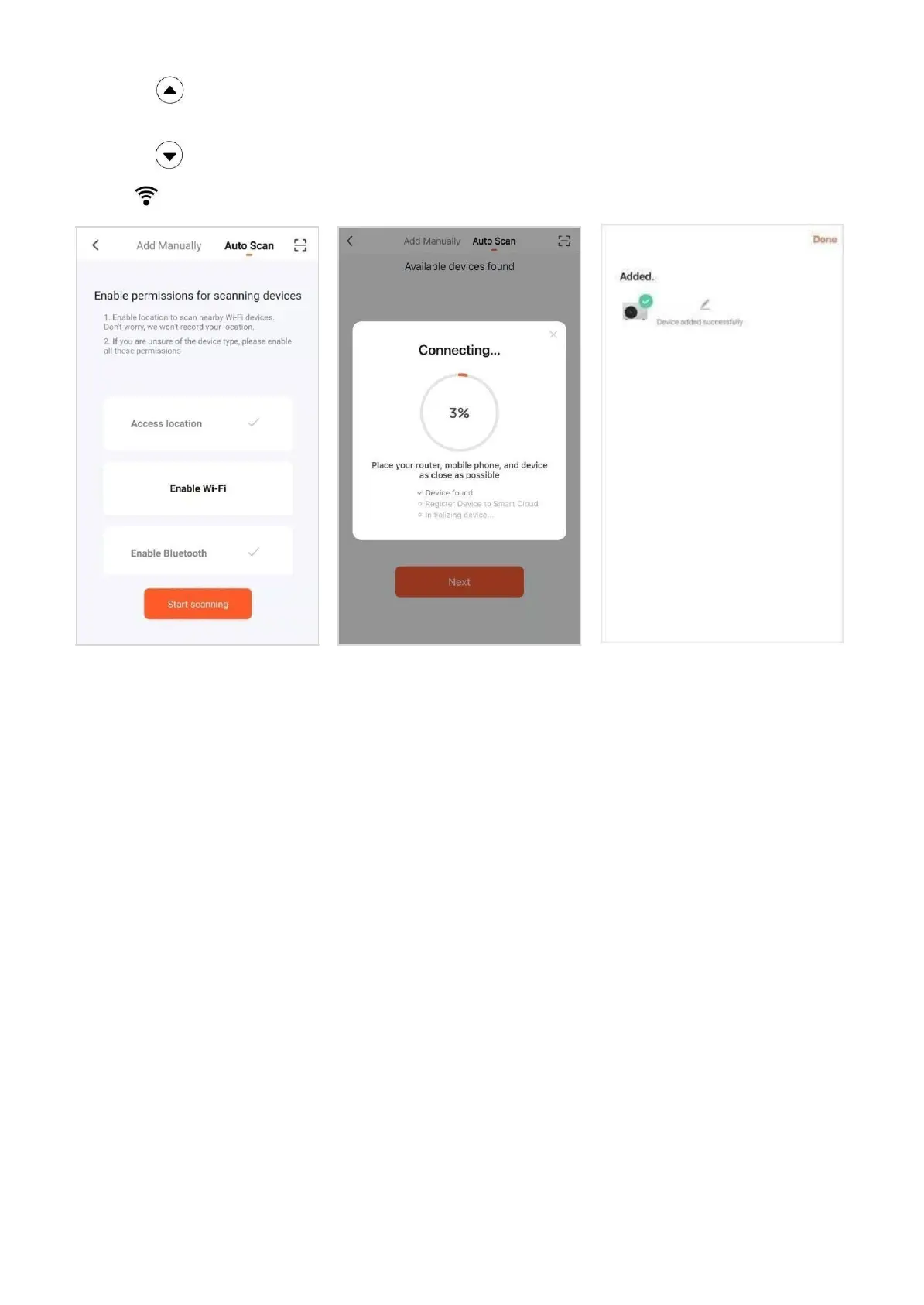
1.5 If the APP cannot find any appliance. Click Auto scan (Fig10.5) change to auto scan page.
Long press button on control panel, it starts scanning for appliance after the speaker makes noise.
Press Next (Fig10.6) after find the appliance. And then press Done (Fig10.7) to complete the connection.
Long press button to disconnect the appliance.
1.6 The icon will keep light on after the connection isdone.
Fig.10.5 Fig.10.6 Fig.10.7


 To Next Page