EasyManua.ls Logo

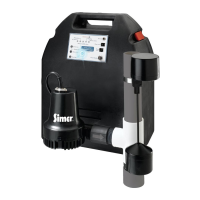
Simer Battery Backup System A5000-04 - User Manual

Simer Battery Backup System A5000-04
32 pages
Print Icon
To Next Page IconTo Next Page
Loading...
©2008 SIM838 (Rev. 10/14/08)
OWNER’S MANUAL
Battery Backup System
NOTICE D’UTILISATION
Système de secours à batterie
MANUAL DEL USUARIO
Sistema de batería de respaldo
5760 0108
A5000-04
Installation/Operation/Parts
For further operating, installation,
or maintenance assistance:
Call 1-800-468-7867 /
1-800-546-7867
English . . . . . . . . . . . . . . Pages 2-11
Installation/Fonctionnement/Pièces
Pour plus de renseignements
concernant l’utilisation,
l’installation ou l’entretien,
Composer le
1 (800) 468-7867 /
1 (800) 546-7867
Français . . . . . . . . . . . Pages 12-21
Instalación/Operación/Piezas
Para mayor información sobre el
funcionamiento, instalación o
mantenimiento de la bomba:
Llame al 1-800-468-7867 /
1-800-546-7867
Español . . . . . . . . . . .Paginas 22-31
293 Wright St., Delavan, WI 53115
Phone:
1-800-468-7867
1-800-546-7867
Fax:
1-800-390-5351

Questions and Answers

  • C
    Courtney TaylorAug 18, 2025
    What to do if Simer Camera Accessories pump won’t run?
    • M
      Michael GonzalezAug 18, 2025
      If the Simer Camera Accessories pump won’t run, you should: * Check all the wiring connections. * Check for a low or defective battery. * Check that the automatic switch is free to move up and down. * Press the circuit breaker reset button on the control.
  • G
    grogersAug 21, 2025
    What to do if Simer Camera Accessories pump runs but pumps very little or no water?
    • J
      Jamie ValenciaAug 21, 2025
      If the Simer Camera Accessories pump runs but pumps very little or no water, you should: * Make sure a check valve is installed and functioning between the primary pump discharge and the Battery Backup tee. * Check for an obstruction in the discharge pipe. * Check for a low or defective battery. * Ensure that the discharge pipe length and/or height does not exceed the pump's capacity. * Make sure that the Positive (+) and negative (–) pump wires are connected correctly.
  • A
    Ashley MaciasAug 23, 2025
    What to do if Simer Camera Accessories battery charge is below 20%?
    • P
      Pamela WilsonAug 23, 2025
      If the Simer Camera Accessories battery charge is below 20%, the pump will shut down because the battery is not charging. Replace the battery.
  • L
    Larry MooreAug 26, 2025
    Why does Simer Camera Accessories pump cycle too frequently?
    • K
      Kelsey WrightAug 26, 2025
      The Simer Camera Accessories pump might cycle too frequently if the check valve located between the discharge of the primary pump and the Battery Backup tee is either not installed or not working properly. Install the auxiliary check valve or replace the existing check valve as required.
  • R
    Ricardo SanchezAug 27, 2025
    What to do if Simer Camera Accessories motor hums but pump won’t run?
    • M
      Mary MillerAug 28, 2025
      If the motor hums but the Simer Camera Accessories pump won’t run, check for a low or defective battery.
  • L
    leontoddAug 30, 2025
    What to do for Simer Camera Accessories excessive battery drain?
    • R
      Ryan LeeAug 30, 2025
      To address excessive battery drain in your Simer Camera Accessories, stop the pump and allow the battery to charge. Ensure that AC power is on.
  • J
    Juan HughesSep 1, 2025
    What to do if Simer Camera Accessories battery will not take a charge?
    • R
      Rebecca MurphySep 2, 2025
      If the Simer Camera Accessories battery will not take a charge, replace it with a new 12V lead-acid battery.
  • J
    Joy AllenSep 4, 2025
    What to do for Simer Camera Accessories reversed battery connections?
    • E
      eric70Sep 4, 2025
      If you have reversed the battery connections on your Simer Camera Accessories, connect the positive (+) terminal to positive (+) and the negative (–) terminal to negative (–).
  • M
    Melanie BakerSep 6, 2025
    What to do for Simer Camera Accessories wrong battery voltage?
    • L
      Lucas KrauseSep 6, 2025
      If the Simer Camera Accessories has the wrong battery voltage, replace the battery with a new 12V lead-acid battery.
  • R
    Ryan WallaceSep 8, 2025
    What to do if Simer Camera Accessories failed pre-qualification test – 1?
    • G
      graytammySep 8, 2025
      If the Simer Camera Accessories failed pre-qualification test – 1, replace the battery with a new 12V lead-acid battery.

Summary

Battery Backup System

Safety Precautions

General Safety Instructions

Emphasizes reading and following all safety instructions before operating the pump.

Installation Procedures

BBU Installation and Operation

Details the steps and precautions for installing and operating the Battery Backup System.

Step-by-Step Installation

Preparation and Setup

Prepares the sump pit and discharge pipe for the installation process.

Electrical Connections

BBU Wiring and Battery Setup

Provides instructions for wiring the BBU unit and connecting the battery.

Battery Management and Troubleshooting

General Troubleshooting

Offers solutions for common operational problems like pump not running or cycling.

Error Codes and Button Functions

Error Code Displays

Correlates flashing LED error codes with specific conditions and required actions.

Simer Battery Backup System A5000-04 Specifications

General IconGeneral
TypeBattery Backup System
ModelA5000-04
Capacity5000mAh
Input Current1A
Output Voltage5V
Input Voltage5V
CompatibilityCameras