Focus the Binocular
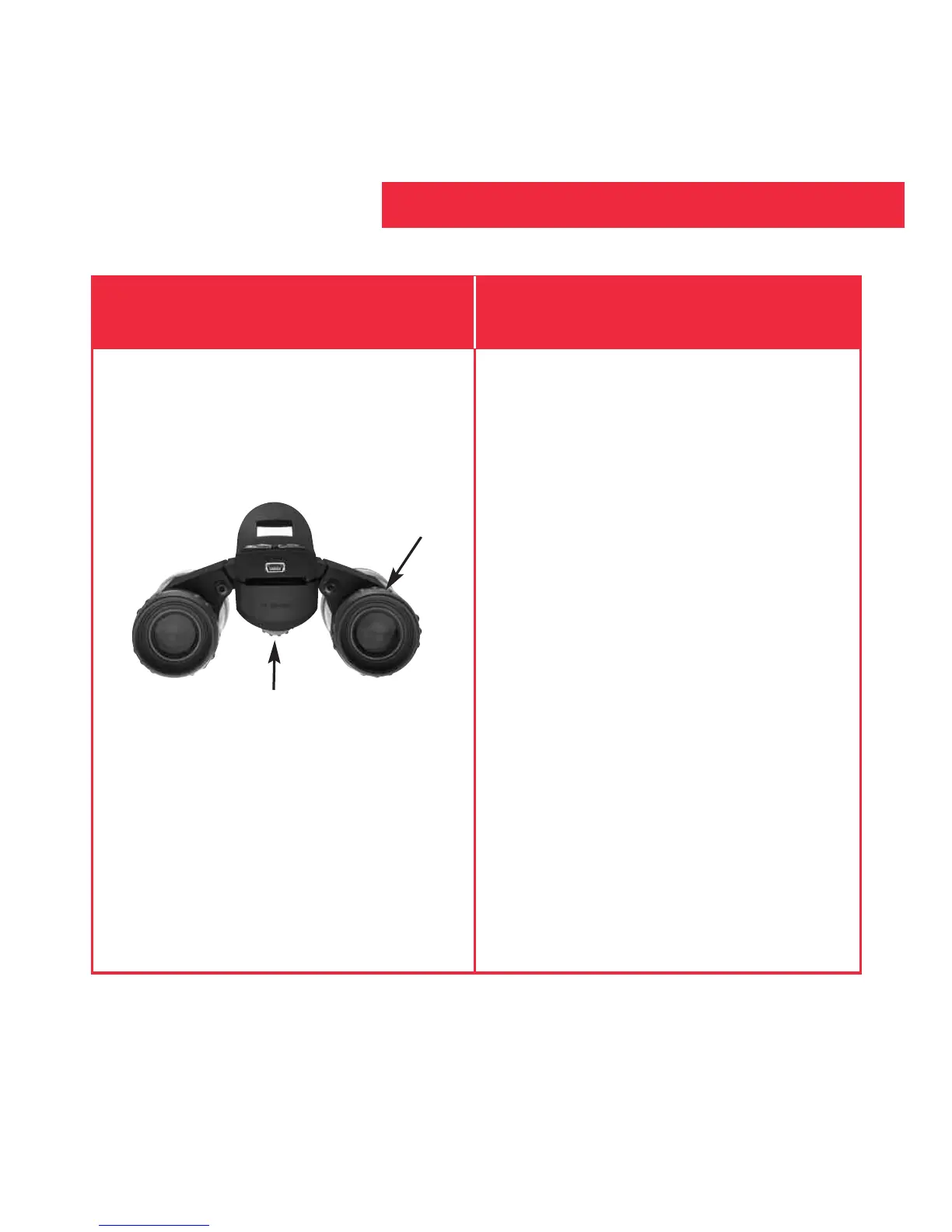
1. Set the Diopter Scale on underside
of CaptureView at its center point
between “+” and “-.”
2. Choose an object (such as a
telephone pole) that is at least 50
feet (15m.) away.
3. Looking with
only your left eye,
rotate the Focus Knob until the
object you are viewing is focused.
4. Looking with
only your right eye,
rotate the Diopter Scale until the
object you are viewing is focused.
5. Now, looking with both eyes, rotate
the Focus Knob to focus on both far
and near objects.
If you want to... Do this...
How to Use Your Binocular
11
Diopter scale
Focus knob


 To Next Page