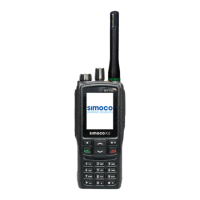
SRP9170/80 P25 Portable Radio – User Manual
© ComGroup Australia 2010 Page 17 TNM-U-E-0091 1.4a
Once the “Zone” menu appears, press the ▼ and ▲ keys to choose the required Zone.
Press the “OK” key to select the required Zone. The radio will return to the channel screen
and select the first channel in the new Zone.
Direct access to the “Zone” menu from other screens can also be programmed to one of the
function keys with the Field Programmer.


 To Next Page