SRP9170/80 P25 Portable Radio – User Manual
© ComGroup Australia 2010 Page 41 TNM-U-E-0091 1.4a
The “M” or “Back” key returns to previous screen, i.e., Short Message Screen, or Edit Text
Message Screen.
A “Reset” function key press (if configured) takes the radio back to the default screen
display.
If “CANCEL” is selected, pressing “OK” returns to the previous screen, i.e., Short Message
Screen, or Edit Text Message Screen.
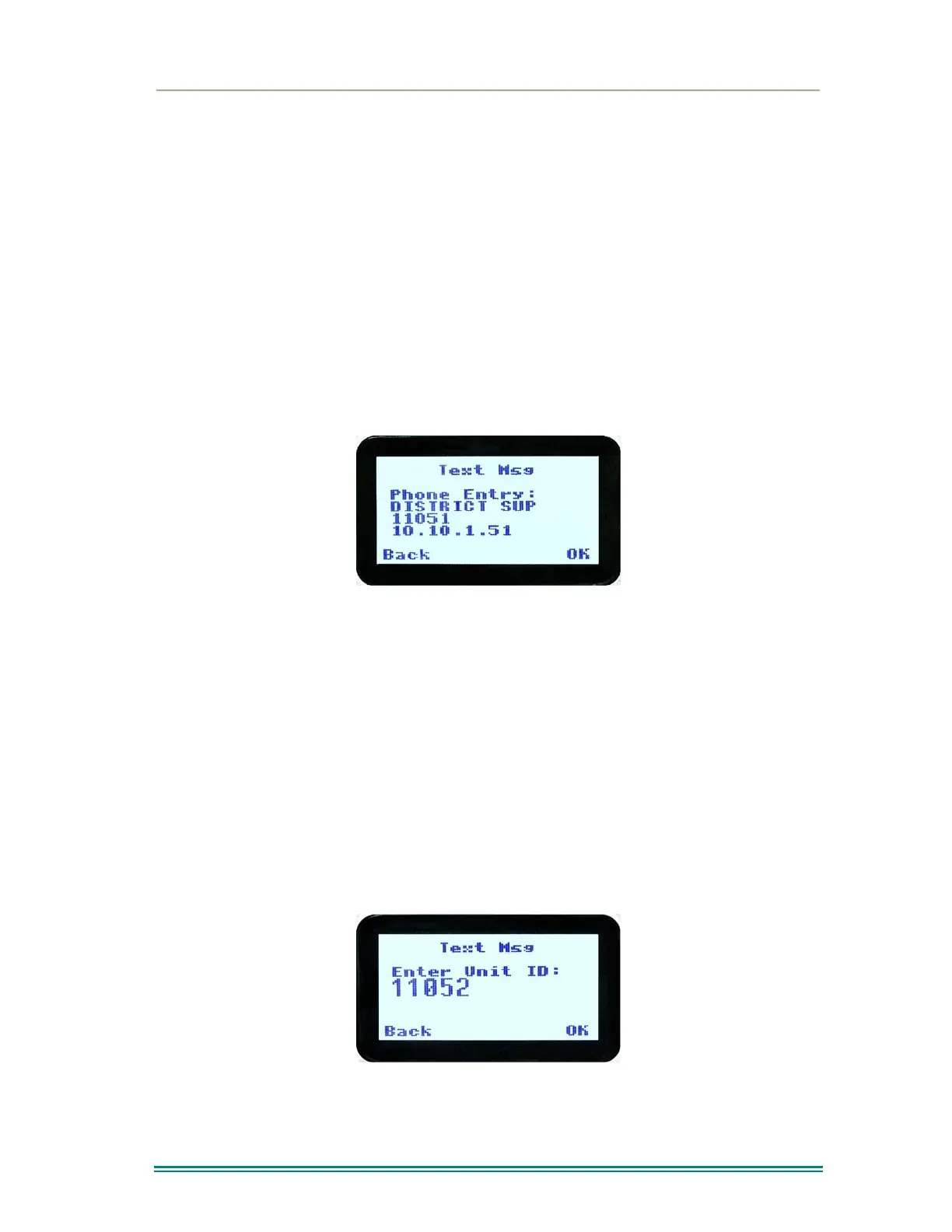
If “PH.BK” is selected, pressing “OK” key displays the “Phone Entry Screen”.
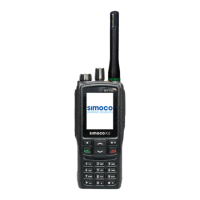
If “ENT.ID” is selected, pressing “OK” key displays the “Enter Unit Id Screen”.
4.2.15.11 Phone Book Selection Screen
This screen allows selection of the destination ID from the Phone Book.
The ▼ and ▲ keys are used to select the phone book entry.
A “Reset” function key press (if configured) takes the radio back to the default screen
display.
The “M” or “Back” key returns to the Destination Selection Pop-up screen.
Pressing “OK” key sends the message to the chosen destination ID and the radio returns to
the default screen.
4.2.15.12 Enter Unit ID Screen
This screen allows manual entry of the destination unit ID decimal digits. The valid range of
a unit ID is 0 – 16,777,215.
The entered digits can be deleted by using the ▼ key.
The “M” or “Back” key returns to Destination Selection pop-up Menu screen.


 To Next Page