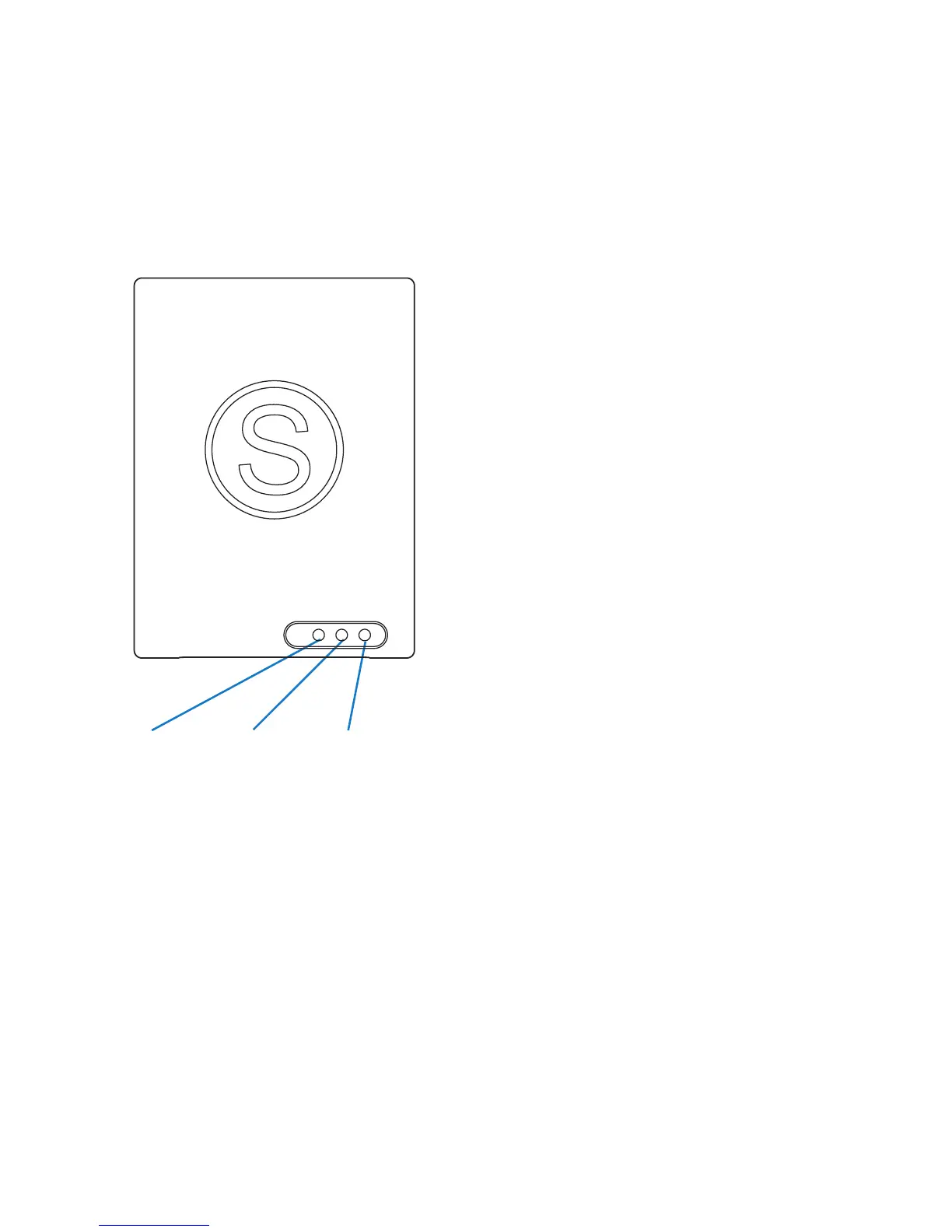
Front panel
Powerline Adapter basics
Find out where the sockets are, what the buttons
do and what the lights mean.
Power/pairing status light
This light indicates that the plug
is switched on/off and shows the
pairing status.
Green light on: Power on
Green light off: Power off
Flash once per second: Pairing mode
Flash every 15 seconds: Standby mode
- no Ethernet connection detected after 3
minutes
Powerline data rate light
This light indicates a connection to
a Powerline network and its colour
indicates the overall network speed.
Red light: Weak signal / slow network speed
(under 50Mbps)
Orange light: Normal signal / standard
network speed (50-100Mbps)
Green light: Excellent signal / optimal
network speed (100Mbps +)
No light: No powerline network detected
Ethernet connection light
This light indicates an active Ethernet
connection.
Solid Green: 10/100Mbps port linked
Blinking: 10/100Mbps port transmitting or
receiving
Off: No Ethernet connection
6
Ethernet
connection
Power/pairing
status
Powerline
data rate


 To Next Page