
 Need help?
Do you have a question about the Simple FDIR-V1 and is the answer not in the manual?
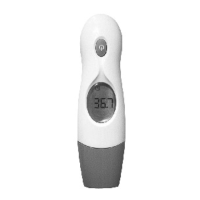
Highlights 4-in-1 design, instant measurement, high-speed accuracy, and automatic mode conversion.
Covers ease of use, fever alarm, and automatic memory display features.
Explains indicators for measuring progress, ear/forehead modes, and fever alerts.
Covers reading display, clock, temperature units (C/F), and last memorized temperature.
Alerts the user about low battery status and its implications.
Instructions on how to set the device's time and ambient temperature display.
Step-by-step guide for initiating, performing, and understanding fever alerts for ear measurements.
Step-by-step guide for initiating, performing, and understanding fever alerts for forehead measurements.
Explains the icons and sounds indicating low battery status and the need for replacement.
Step-by-step guide on how to replace the thermometer's battery.
 General
| Brand | Simple |
|---|---|
| Model | FDIR-V1 |
| Category | Thermometer |
| Language | English |

 To Next Page