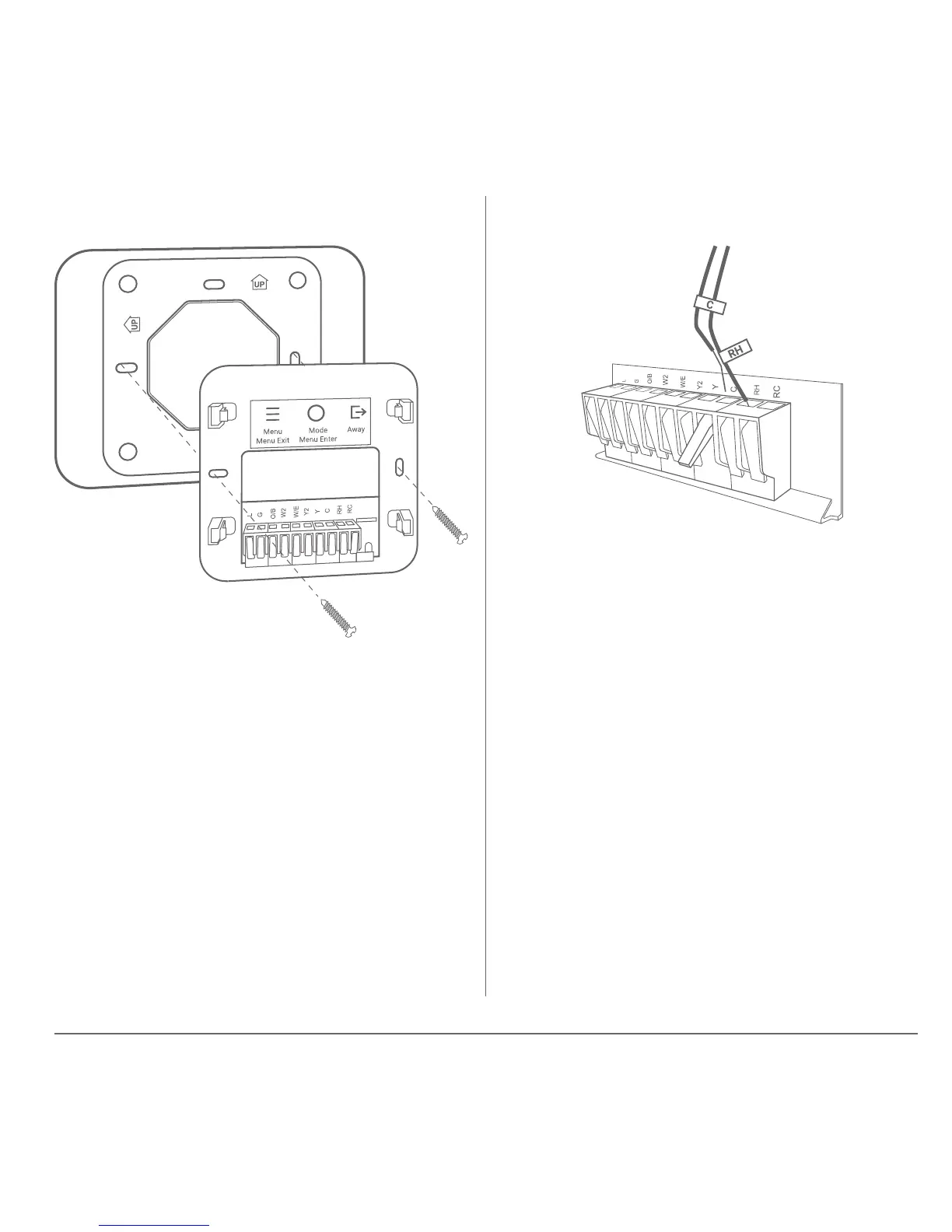
5
If the optional trim plate is needed,
place it between the wall plate and
the wall.
Match the wire labels to the
terminal names on the wall plate.
The wall plate has levers for each
terminal position. Lift the lever
before inserting the wire. Push the
lever back down to lock the wire in
place.
Step 6 – Mount the wall plate Step 7 – Connect the wires


 To Next Page