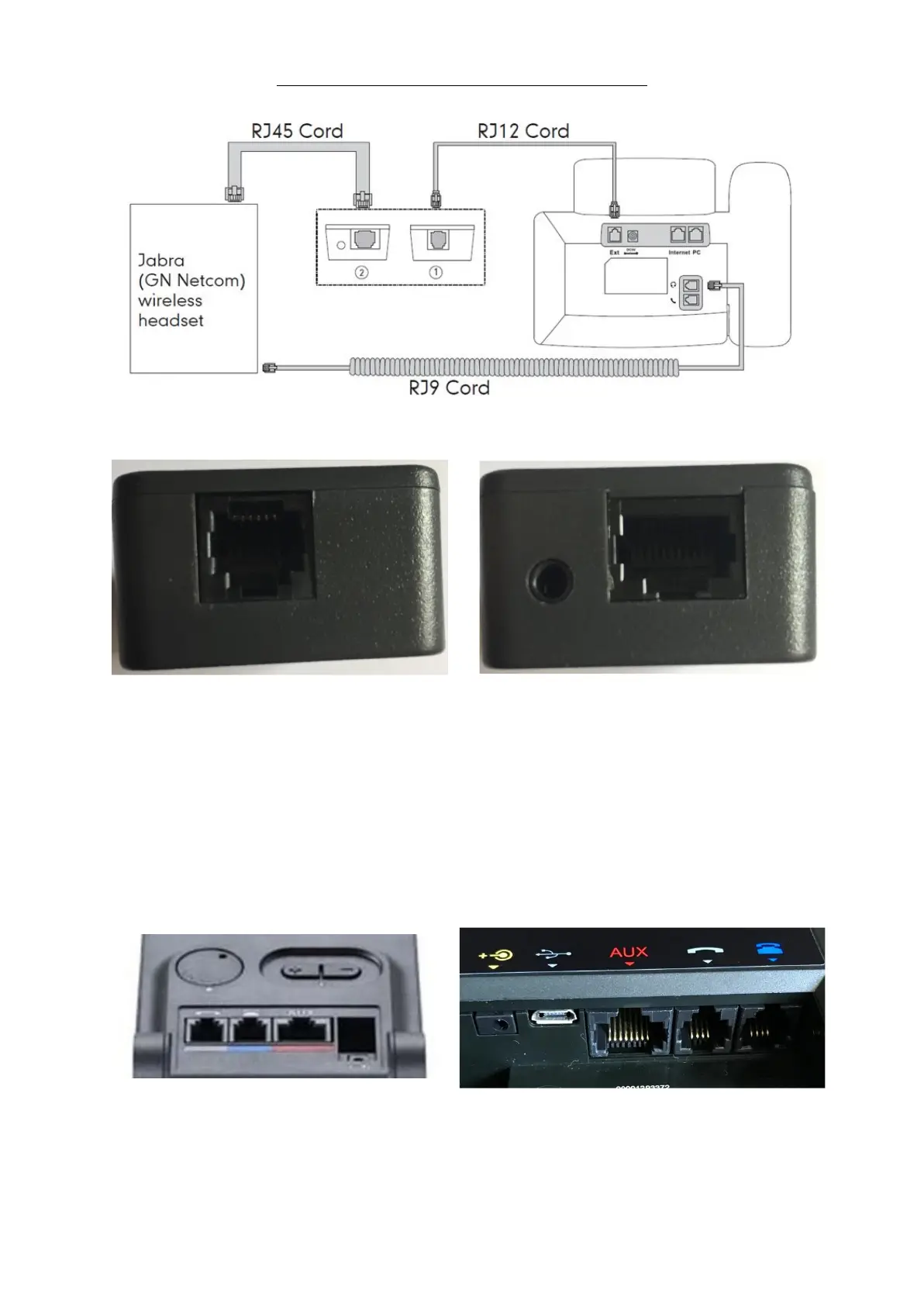
To set your Jabra headset and EHS 36 up:
The EHS Box has 2 sides to it.
Side 1 Side 2
The Rj 12 cable plugs into side 1 of the EHS box. And then the other end plugs
into the EXT port on the back of your phone handset.
The RJ 45 cable plugs into side 2 of the EHS box and then into the Red AUX port
on the back of your headset base.
920/925 model 9400/motion series
The RJ9 cable plugs into the Headset port on your telephone. And then the
other end plugs into the blue phone port on the Jabra headset base.



 To Next Page