13
SELECT THE QUERING ADDRESS
07
PROJECT MENU
OK
SELECT THE QUERING ADDRESS
07
PARAMETERS MENU
OK
STATE QUERY
FAN
STATE
4-WAY
VALVE
STATE
PUMP
STATE
ON ON ON ON
BACK
PROJECT MENU-
COMPRESSOR
STATE
PARAMERERS QUERY
60 95
COMPRESSOR
CURRENT
95
HIGH
PRESSURE
BACK
EXV OPENING
DEGREE
◆
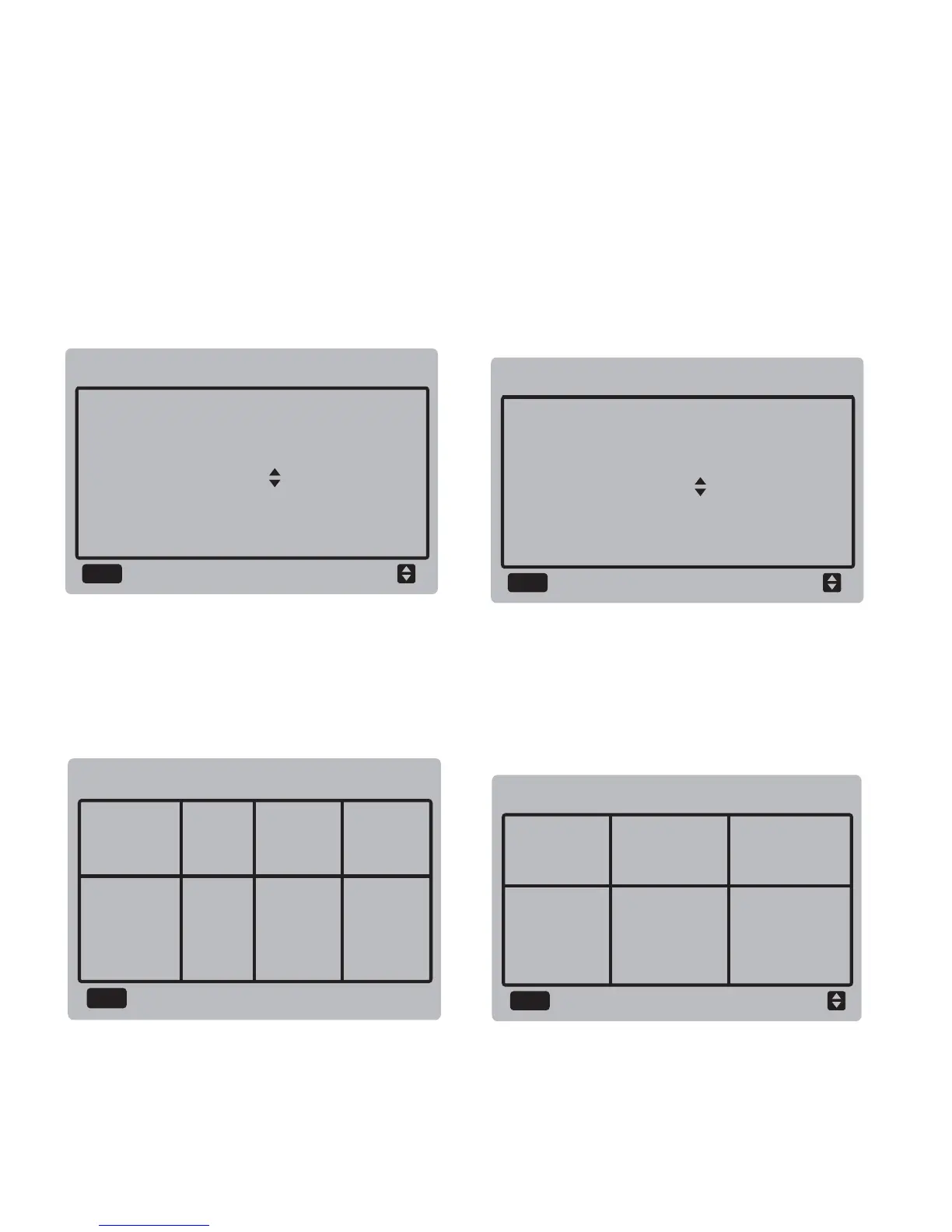
State query:
Select "STATE QUERY", and press the
"OK" button to enter the interface. The
screen prompts the user to select the
address for query, as shown below:
Press the "▼" and "▲" buttons to select the
module address to view (the offline address
is skipped automatically), and press the "OK"
button to enter the interface. The screen
display is as follows:
◆
Parameters query:
Select "PARAMETERS QUERY", and press
the "OK" button to enter the interface. The
screen prompts the user to select the
address for query, as shown below:
Press the "▼" and "▲" buttons to select the
module address to view (the offline address
is skipped automatically), and press the "OK"
button to enter the interface. The screen
display is as follows:
1/3
7#


 To Next Page
 Loading...