EasyManua.ls Logo

Sincreative CM9429B-UL - User Manual

Sincreative CM9429B-UL
15 pages
Print Icon
To Next Page IconTo Next Page
Loading...
Rev 1.0
HOUSEHOLD USE ONLY
Please read all instructions carefully before using the product
INSTRUCTION MANUAL
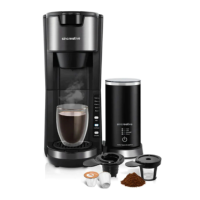
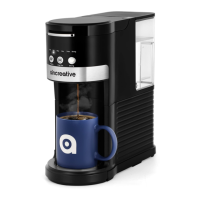
2 in 1 Coffee Maker
love · life
Model: CM9429B-UL

Questions and Answers

  • W
    William AvilaAug 15, 2025
    What to do if my Sincreative CM9429B-UL is not working?
    • J
      John AlexanderAug 15, 2025
      First, ensure the appliance is plugged into a working wall outlet and switched on by pressing the Regular or Strong button. Check the fuses and circuit breaker. If the issue persists, unplug the appliance and contact customer support.
  • B
    Brian JimenezAug 18, 2025
    Why is my Sincreative Coffee Maker leaking during the brewing cycle?
    • J
      Jamie JohnsonAug 18, 2025
      A leak during the brewing cycle can occur for several reasons. It could be due to too much ground coffee in the filter holder, in which case you should remove some. Ensure the brew chamber lid is properly closed. If you're using ground coffee that is too fine, clean the filter holder and refill it with coarse ground coffee. If you are using capsules, ensure that you are using K-Cup capsules and that the upper/bottom of the capsule is pierced by the needle. If the filter holder, capsule holder, or brew chamber is damaged, contact customer support.
  • T
    Timothy WhiteAug 21, 2025
    What to do if no water comes out of my Sincreative CM9429B-UL Coffee Maker?
    • B
      Bradley SmithAug 22, 2025
      If no water is coming out of the brew spout, check for blockages in the spout. If there's excessive lime scale buildup, clean and descale the appliance. If you're using ground coffee, make sure it's not too fine; clean the filter holder and refill with coarse ground coffee. Ensure the water tank is filled with fresh water. If using capsules, ensure you are using a suitable capsule and that the upper/bottom of the capsule is pierced by the needle. If the needles are plugged with debris, clean them with a toothpick or fine pipe cleaner and fresh water.
  • M
    Michelle ParksAug 25, 2025
    Why does my Sincreative CM9429B-UL stop brewing before it's finished?
    • M
      Michelle MasseyAug 26, 2025
      The brewing process might stop prematurely if there is not enough water in the water tank according to the pre-selected volume. Refill the water tank with fresh water and restart the operation.
  • M
    Mario BrownAug 28, 2025
    What to do if my Sincreative CM9429B-UL doesn't start brewing?
    • C
      Carol PhillipsAug 28, 2025
      If the brewing process doesn't start, first ensure the water tank is filled with fresh water. Also, repeat settings selection, then press the Regular button or Strong button.
  • J
    Jim BassAug 31, 2025
    Why is the coffee from my Sincreative CM9429B-UL Coffee Maker too weak?
    • D
      Denise NunezAug 31, 2025
      If the coffee flavor is too weak, try adding more ground coffee, but do not fill over the MAX fill line on the round coffee holder. If you're using capsules, make sure you're using a new one each time. If you're using ground coffee, clean the filter holder and refill it with fresh ground coffee. You may also be using too much water, so reduce the amount of water used on the next brew.
  • R
    Richard EdwardsSep 3, 2025
    What to do if the volume is less than pre-selected volume in Sincreative CM9429B-UL?
    • H
      holly67Sep 3, 2025
      If the volume is less than the pre-selected volume, it could be due to excessive lime scale buildup; clean and descale the appliance. If the issue persists, unplug the appliance from the wall outlet and contact customer support as it may be a malfunctioning appliance.
  • K
    Kimberly ForbesSep 7, 2025
    Why does my Sincreative CM9429B-UL Coffee Maker flash all buttons while brewing?
    • M
      Melvin JacksonSep 7, 2025
      If the coffee maker does not work and all buttons flash while brewing, the water tank may be empty; refill the water tank with fresh water. If the issue continues, the appliance may be malfunctioning; unplug it from the wall outlet and contact customer support.
  • J
    Joyce WellsSep 12, 2025
    Why do the cup size button and regular button flash in red when I plug in my Sincreative Coffee Maker?
    • A
      Ashley HarmonSep 12, 2025
      If the cup size button and regular button flash in red when you plug in your appliance, this indicates a descale alert. Run a descaling cycle.

Summary

Important Safeguards

Specifications

Know Your Coffee Maker

Control Panel

Plug-in and Time Out

Water Empty Alert

Initial Use

Initial Cleaning

How to Brew Coffee

Cleaning and Maintenance

Clean Water Tank

Remove the tank and handwash with dish soap and warm water. Then rinse it under running water.

Clean the Capsule Holder or Filter Holder

Remove and handwash with dish soap and warm water or place in the top rack of a dishwasher.

Clean the Drip Tray

Remove and handwash with dish soap and warm water. Then rinse it under running water.

Clean the Piercing Needle

Clean obstruction with a paper clip or similar needle. Insert to loosen and push out.

Descaling

Troubleshooting

Warranty Information

Customer Support

Sincreative CM9429B-UL Specifications

General IconGeneral
BrandSincreative
ModelCM9429B-UL
CategoryCoffee Maker
LanguageEnglish

Related product manuals