EasyManua.ls Logo

Sine Audio SauYin DS6801 - User Manual

Sine Audio SauYin DS6801
16 pages
Print Icon
To Next Page IconTo Next Page
Loading...
E-mail:support@sineaudio.com.cn
User Manual
by Sine Audio
E N - 1
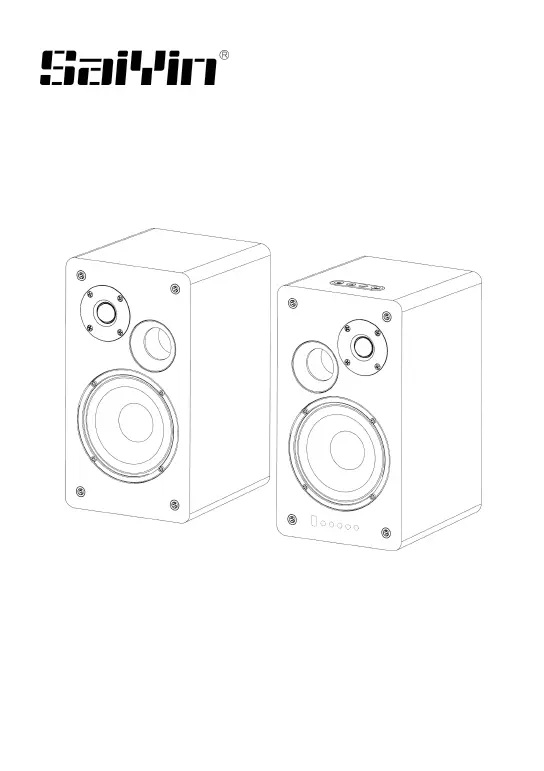
Powered Bookshelf Speakers
2.0 Channel Stereo

Questions and Answers

  • P
    Perry MerrittAug 5, 2025
    What to do if there is no sound from my Sine Audio SauYin DS6801?
    • M
      Mary WangAug 5, 2025
      If you're not getting any sound from your Sine Audio Speakers, try the following: * Ensure the speakers are powered on (the power indicator should be orange). * Check that the mute button is not activated. * Verify the source device's volume settings and that it is playing audio. * Confirm the correct source device is selected. Also, make sure the audio cables are connected to the correct ports on your TV (Line OUT or Audio OUT, Optical OUT or Digital OUT, Coaxial OUT SPDIF OUT or Digital OUT) and that PCM (Pulse Code Modulation) is activated in your source device's audio settings. If connecting to the headphone socket, maximize the TV's volume and turn on the TV speakers.
  • H
    hallmatthewAug 10, 2025
    Why is my Sine Audio SauYin DS6801 remote control not working?
    • M
      Mary JohnsonAug 10, 2025
      If the remote control for your Sine Audio Speakers isn't working, first ensure the batteries are correctly inserted and replace them if needed. Then, move closer to the speakers, remove any obstacles between the remote and the speakers, ensure you are within 16.5 feet (5 meters) of the system, and aim the remote directly at the infrared receiver.
  • R
    Robin MorganAug 14, 2025
    How to fix poor audio quality on Sine Audio SauYin DS6801 Speakers?
    • J
      James JohnsonAug 15, 2025
      To improve the audio quality on your Sine Audio Speakers: * Select a suitable sound mode using the movie, music, or news button on the remote. * Set the speaker volume to 80% of maximum. * Ensure all cable connections are secure on both the speakers and the connected devices. * Test with different source devices and check the cable connections if the problem persists.
  • S
    Steven GarciaAug 20, 2025
    What to do if my Sine Audio SauYin DS6801 system doesn’t react?
    • N
      Nicholas PerezAug 20, 2025
      If your Sine Audio Speakers system isn’t reacting, it might be due to a malfunction caused by electrostatic discharge. Unplug the power adapter for at least one minute, and then reconnect it.
  • R
    robert11Aug 26, 2025
    Why is the audio quality poor on my Sine Audio Speakers?
    • W
      wwilsonAug 26, 2025
      If you are experiencing poor audio quality on your Sine Audio Speakers, try reducing the volume on your source device. If using an audio cable connection, double-click the boost button on the remote control to restore the volume. For Bluetooth connections, move the Bluetooth device closer to the speakers, ensuring there are no obstructions.
  • S
    Shawna EspinozaAug 30, 2025
    How to fix Sine Audio Speakers when there is no power?
    • L
      Lauren OliverAug 30, 2025
      If your Sine Audio Speakers have no power, check that the power adapter is properly connected to an electrical outlet and that the DC plug is securely connected to the DC IN socket. You can also try unplugging the power adapter for at least one minute and then reconnecting it.

Summary

Important Notes and Warranty

Important Notes

Key considerations and precautions for optimal speaker performance and usage.

Warranty Information

Details on the product's warranty period, coverage, and claim process.

Product Information and Compliance

FCC Information

Details on compliance with FCC rules and regulations for radio frequency interference.

Package Contents, Features, and Specifications

Package Contents

List of items included in the product package and accessories.

Features

Overview of the key functionalities and capabilities of the bookshelf speakers.

Specifications

Technical details including power, signal-to-noise ratio, and frequency response.

System Overview and Controls

System Overview

Visual representation and identification of different speaker models.

Button Panel

Description of buttons on the speaker unit for power, mode, and volume control.

Knob Panel

Details on speaker controls for microphone and music volume, bass, and treble.

Connectivity and Setup

Rear Panel

Identification of input/output ports and connections on the speaker's rear.

Digital Audio (SPDIF) Connection

Instructions for connecting speakers using optical or coaxial cables.

Audio Cable Connection

Guide for connecting speakers using RCA or 3.5mm audio cables.

System Operation and Remote Control

Remote Control

Overview of the remote control functions, operation range, and usage notes.

Using the System

General guidance on operating the system and its features.

Selecting Sound Mode

Guidance on choosing digital audio processing sound modes for optimal effect.

Bluetooth Function

Instructions for connecting and using external Bluetooth devices.

Troubleshooting and Support

Troubleshooting

Solutions for common problems like no power, no sound, or poor audio quality.

Remote Control Issues

Steps to resolve problems with the remote control not working or system unresponsiveness.

Bluetooth Connection Problems

Guidance on resolving issues when a Bluetooth device cannot connect to speakers.

Sine Audio SauYin DS6801 Specifications

General IconGeneral
BrandSine Audio
ModelSauYin DS6801
CategorySpeakers
LanguageEnglish

Related product manuals