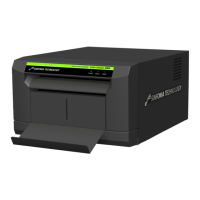
What to do if my Sinfonia Technology CHC-S6145 has a paper jam?
- MMisty FuentesAug 14, 2025
If a paper jam has occurred in your Sinfonia Technology Printer, remove the jammed paper in accordance with the user manual of the printer.
What to do if my Sinfonia Technology CHC-S6145 has a paper jam?
If a paper jam has occurred in your Sinfonia Technology Printer, remove the jammed paper in accordance with the user manual of the printer.
What to do if the paper roll has run out in my Sinfonia Technology CHC-S6145?
If the paper roll has run out or is not loaded in your Sinfonia Technology Printer, load a new one.
What to do if the ink ribbon has run out in my Sinfonia Technology CHC-S6145 Printer?
If the ink ribbon has run out or is not loaded in your Sinfonia Technology Printer, remove the used ink ribbon and load a new one.
What to do if the printer cover is open on my Sinfonia Technology CHC-S6145?
If the printer cover is open on your Sinfonia Technology Printer, close the printer cover.
What to do if the size of paper loaded in the Sinfonia Technology CHC-S6145 Printer does not match the size specified in the current print job?
If the size of paper loaded in your Sinfonia Technology Printer does not match the size specified in the current print job, load the correct size of paper to the printer or cancel the print job and print again with the correct paper size.
Why can't I use this profile on current ribbon and image mode on my Sinfonia Technology CHC-S6145 Printer?
You may not be able to use the current profile on your Sinfonia Technology Printer because incorrect ICC profile(s) are specified for the current settings. Check if the ICC profile(s) are compatible with the current settings.
What to do if my Sinfonia Technology Printer says it cannot find the right ICC Profile?
If your Sinfonia Technology Printer cannot find the right ICC Profile, check if the ICC Profile exists and is not broken. This may be happening because the selected ICC profile is not found or the ICC Profile has collapsed.
What to do if my Sinfonia Technology Printer operation panel is in use?
If the operation panel of your Sinfonia Technology Printer is in use, exit from the “Test Print Mode” of the printer.
What to do if my Sinfonia Technology CHC-S6145 cannot load bitmap file?
If your Sinfonia Technology Printer cannot load a bitmap file, load an acceptable bitmap file that is in 24-bit full color and up to 480 pixels in height and 680 pixels in width. This issue arises because the selected bitmap file is not supported.
Grants non-exclusive right to use SOFTWARE under agreement terms.
Prohibits modification, reverse engineering, or disassembly of the SOFTWARE.
States SOFTWARE is provided "AS IS" without any warranty or liability.
Limits SINFONIA's liability for consequential, indirect, or special damages.
Defines license effectiveness until termination and conditions for termination.
Requires adherence to international laws for software export and re-export.
Lists necessary computer specifications (OS, CPU, RAM, disk space) for driver operation.
Provides critical advice on printer connection, usage, and potential issues.
Key considerations before starting Windows XP driver installation.
Step-by-step guide for installing the printer driver on Windows XP.
Detailed procedure for removing the printer driver from Windows XP.
Important points before proceeding with Windows Vista driver installation.
Step-by-step instructions for installing the printer driver on Windows Vista.
Detailed procedure for removing the printer driver from Windows Vista.
Key considerations before installing the printer driver on Windows 7.
Step-by-step guide for installing the printer driver on Windows 7.
Detailed procedure for removing the printer driver from Windows 7.
Introduction, notes, and paper size information for printing.
Guides through the Page Setup and Printer dialog boxes.
Explains settings like paper size, orientation, copies, and print quality.
Covers print information and the color adjustment window.
Instructions for canceling print jobs from the application or print queue.
Advises against canceling active printing processes.
Overview of the color adjustment window and its preview capabilities.
How to load bitmap files and enable color matching.
Adjusting midtone, brightness, contrast, saturation, and color balance.
Fine-tuning Magenta-Green, Yellow-Blue, unsharp mask, and threshold.
Selecting ICC profiles and rendering intents for color matching.
Explains the process of combining two images for split printing.
Details required printer settings for the split print feature.
Common printer status errors and their corresponding solutions.
Solutions for errors related to ICC profiles and bitmap files.
Grants non-exclusive right to use SOFTWARE under agreement terms.
Prohibits modification, reverse engineering, or disassembly of the SOFTWARE.
States SOFTWARE is provided "AS IS" without any warranty or liability.
Limits SINFONIA's liability for consequential, indirect, or special damages.
Defines license effectiveness until termination and conditions for termination.
Requires adherence to international laws for software export and re-export.
Lists necessary computer specifications (OS, CPU, RAM, disk space) for driver operation.
Provides critical advice on printer connection, usage, and potential issues.
Key considerations before starting Windows XP driver installation.
Step-by-step guide for installing the printer driver on Windows XP.
Detailed procedure for removing the printer driver from Windows XP.
Important points before proceeding with Windows Vista driver installation.
Step-by-step instructions for installing the printer driver on Windows Vista.
Detailed procedure for removing the printer driver from Windows Vista.
Key considerations before installing the printer driver on Windows 7.
Step-by-step guide for installing the printer driver on Windows 7.
Detailed procedure for removing the printer driver from Windows 7.
Introduction, notes, and paper size information for printing.
Guides through the Page Setup and Printer dialog boxes.
Explains settings like paper size, orientation, copies, and print quality.
Covers print information and the color adjustment window.
Instructions for canceling print jobs from the application or print queue.
Advises against canceling active printing processes.
Overview of the color adjustment window and its preview capabilities.
How to load bitmap files and enable color matching.
Adjusting midtone, brightness, contrast, saturation, and color balance.
Fine-tuning Magenta-Green, Yellow-Blue, unsharp mask, and threshold.
Selecting ICC profiles and rendering intents for color matching.
Explains the process of combining two images for split printing.
Details required printer settings for the split print feature.
Common printer status errors and their corresponding solutions.
Solutions for errors related to ICC profiles and bitmap files.
| Brand | Sinfonia Technology |
|---|---|
| Model | CHC-S6145 |
| Category | Printer |
| Language | English |
Loading...