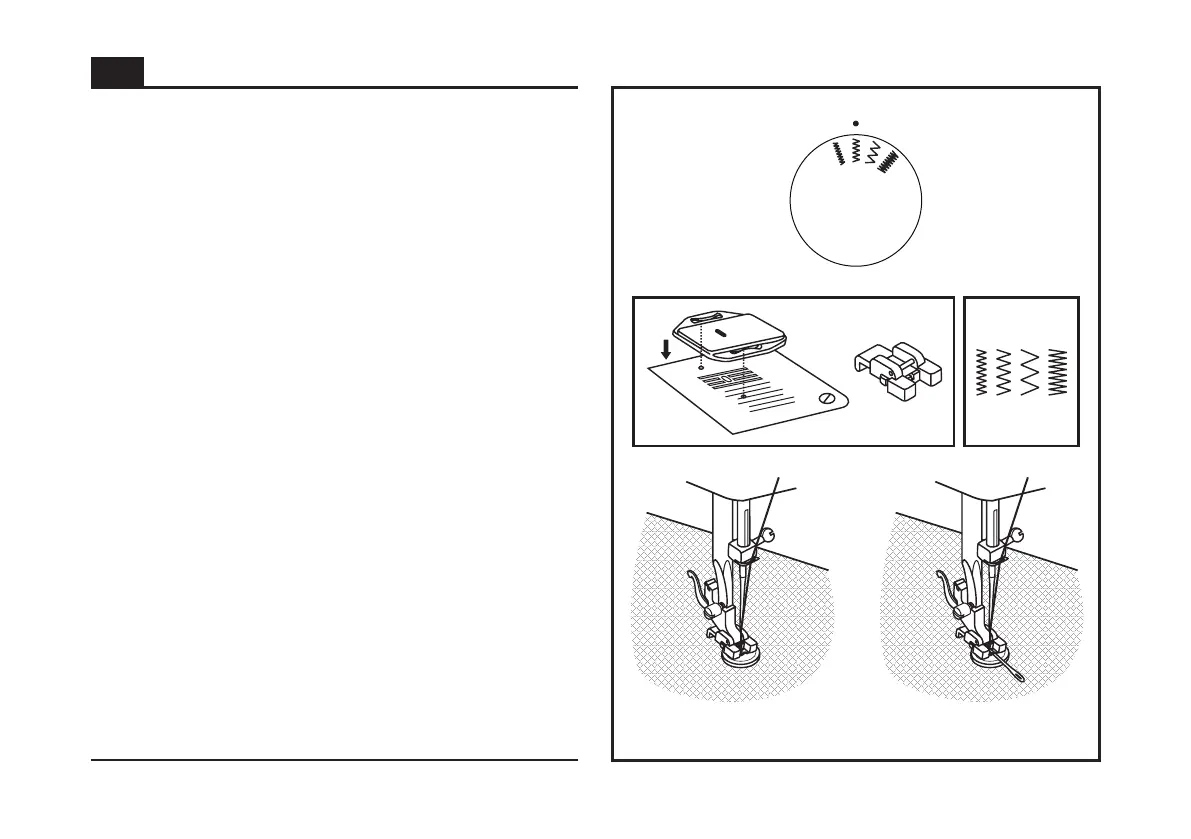
Install the darning plate. (1)
Change the all purpose foot to button sewing foot. (2)
Position the work under the foot.
Place the button in the desired position and lower the foot.
Set the Pattern Selector Dial for the second zig-zag pattern (as
shown), which should correspond to the distance between the
two holes of the button. Turn the handwheel toward you to
check if the needle goes into the right and left hole of the
button without hitting the button. Slowly sew on the button with
about 10 stitches. (3)
Bring the thread tails to the back of the work, then tie off
manually.
If a shank is required, place a darning needle on top of the
button and sew. (4)
For buttons with 4 holes, sew through the front two holes first,
push the work forward and then sew through the back two
holes.
33
Sewing on Buttons (Model 1408 only)
4
3
1 2
EN



 To Next Page