22
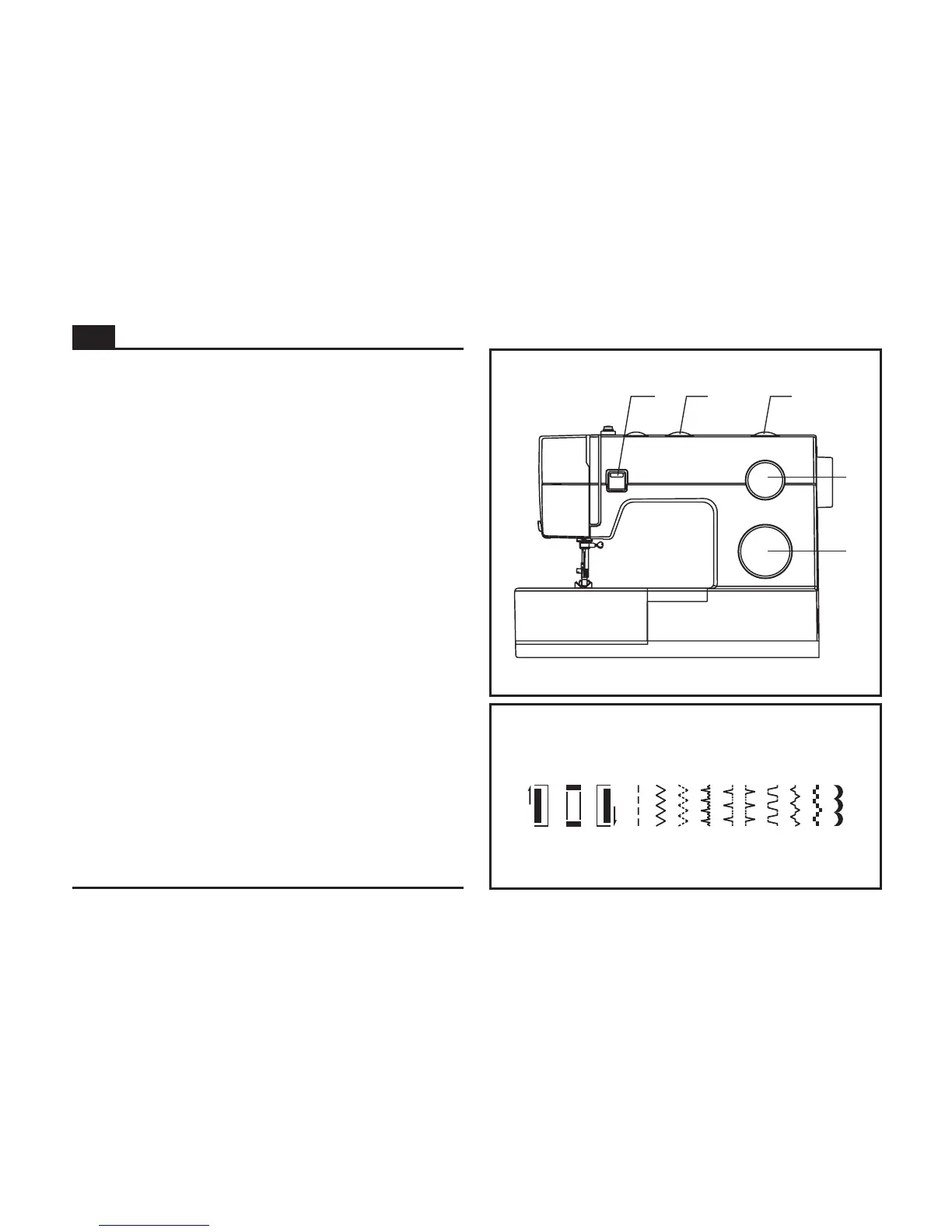
The diagram on this page display the stitch patterns available
on the machine.
The Pattern Selector Dial may be turned in either direction.
a. Reverse Sewing Lever
b.
c. Stitch Width Dial
d. Stitch Length Dial
e. Pattern Selector Dial
Turn the Pattern Selector Dial (e) to select the desired
pattern. Use the Stitch Length Dial (d) to adjust the stitch
length as desired for the project. Use the Stitch Width Dial (c)
to adjust the width of the stitch as desired.
Three Needle Position Dial
c
e
d
a b
3
1
4
2
ABCDEFGH I
J
How to Choose Your Pattern
EN


 To Next Page