EasyManua.ls Logo

Singer 5811 - Page 12

Singer 5811
30 pages
Print Icon
To Next Page IconTo Next Page
To Previous Page IconTo Previous Page
Loading...
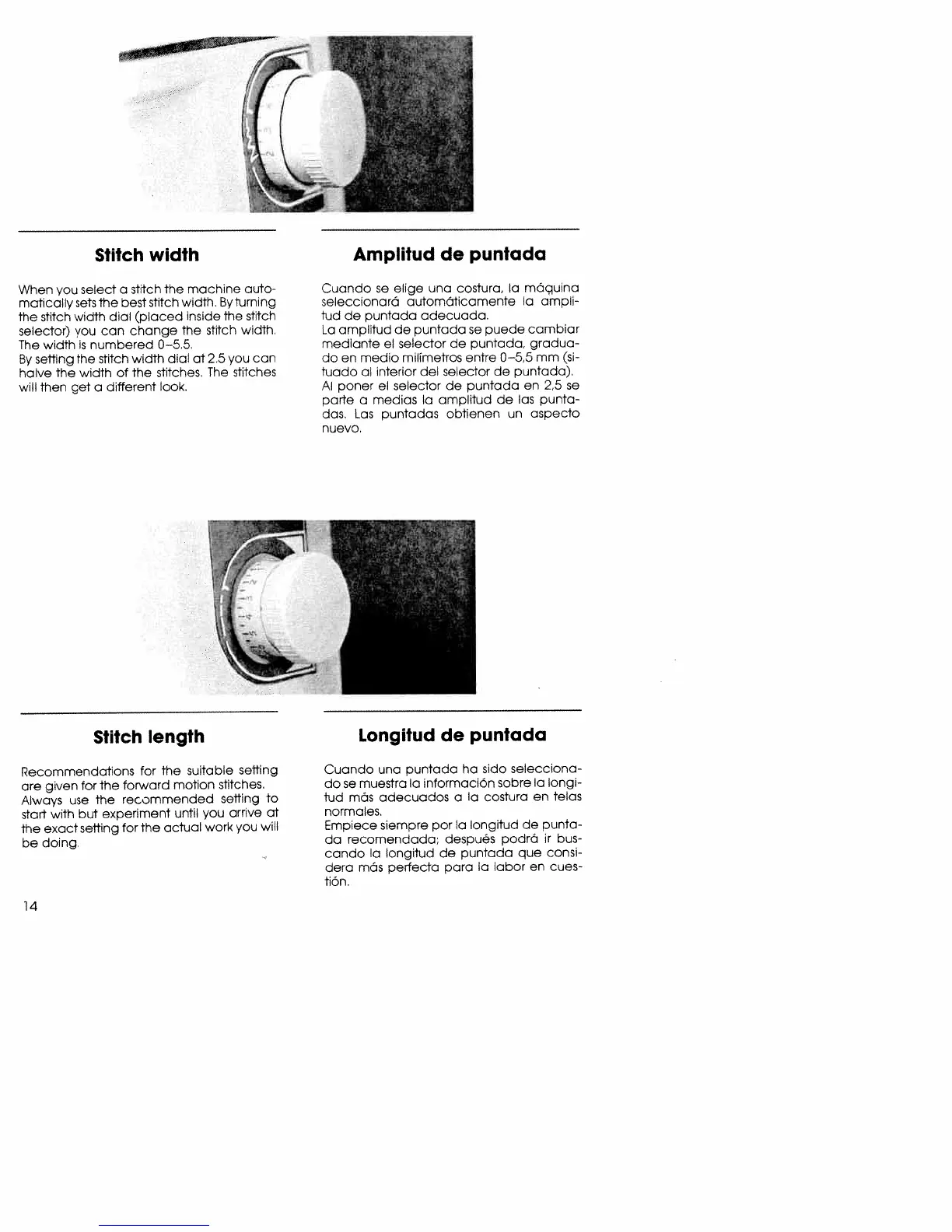
Stitch
width
When
you
select
a
stitch
the
machine
auto
matically
sets
the
best
stitch
width,
By
turning
the
stitch
width
dial
(placed
inside
the
stitch
selector)
you
can
change
The
stitch
width.
The
width
is
numbered
0—5.5.
By
setting
the
stitch
width
dial
at
2 5
you
can
halve
the
width
of
the
strtches,
The
stitches
will
then
get
a
different
look.
Cuando
se
elige
una
costura,
a
maquina
seleccionará
automOticamente
Ia
ampli
tud
de
puntada
adecuada.
La
amplitud
de
puntada
se
puede
cambiar
mediante
el
selector
de
puntada,
gradua
do
en
medio
milimetros
entre
0—5,5
mm
(si
luado
al
interior
del
selector
de
puntada).
Al
poner
el
selector
de
puntada
en
2,5
se
parte
a
medias
Ia
amplitud
de
las
punta
dos.
Las
puntadas
obtienen
un
aspecto
nuevo.
Stitch
length
Recommendations
for
the
suitable
setting
are
given
for
the
forward
motion
stitches.
Always
use
The
recommended
setting
to
start
with
but
experiment
until
you
arrive
at
the
exact
setting
for
the
actual
work
you
will
ce
doing.
Cuando
una
puntada
ha
sido
selecciona
dose
muestra
Ia
informaciOn
sabre
Ia
longi
tud
mãs
adecuados
a
Ia
costura
en
telas
normales.
Empiece
siempre
por
Ia
longitud
de
punta
da
recomendada,
después
podrO
ir
bus
condo
Ia
longitud
de
puntada
que
consi
dera
mOs
perfecta
para
Ia
labor
en
cues
itOn.
Amplitud
de
puntada
Longitud
de
puntada

Related product manuals