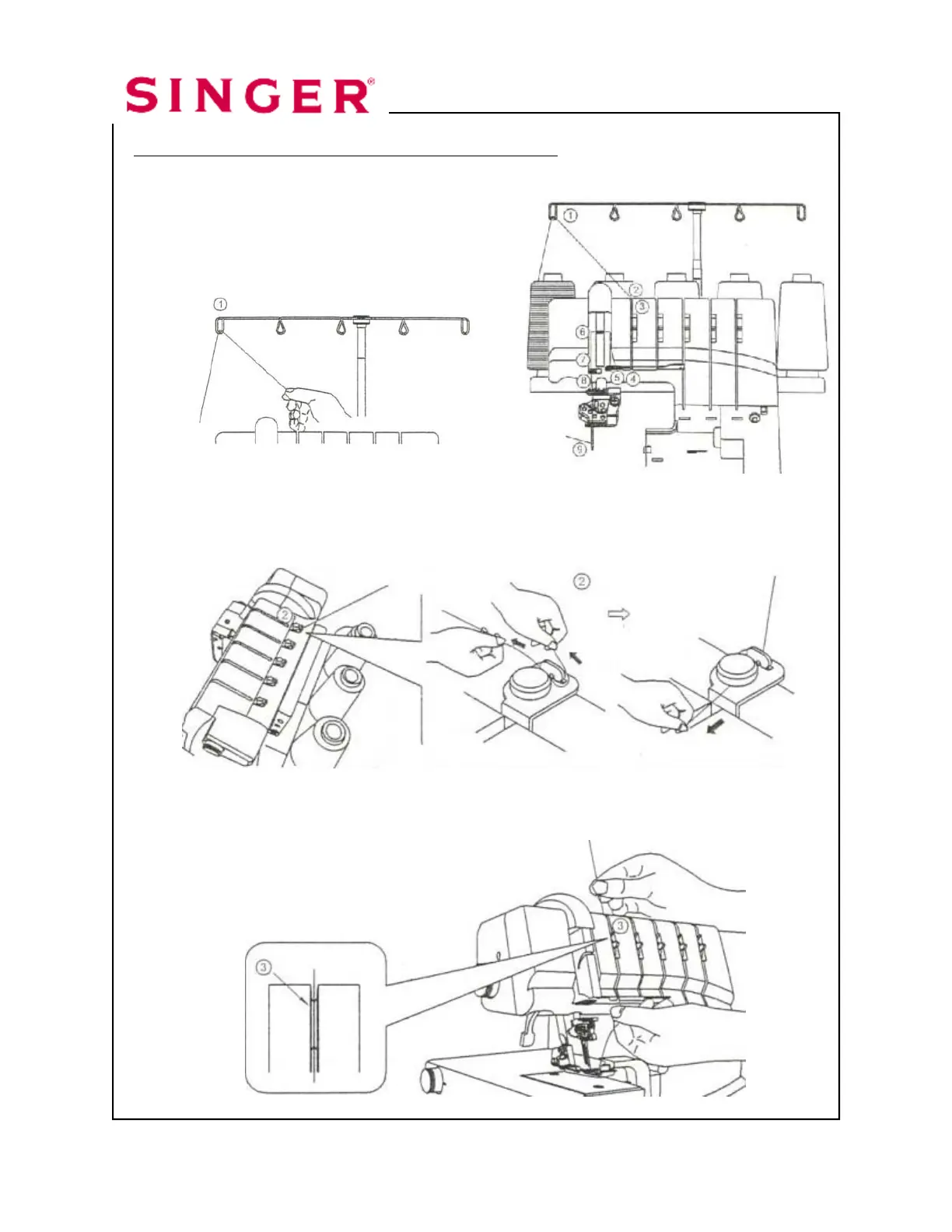
Thread Left Cover Stitch needle with regular thread.
1. Raise the Presser Foot to release the tension disks. Thread the
left needle as illustrated 1-9.
2. Pass thread from back to the front
through the thread guide .
3. Thread the top cover thread guide by pulling the thread towards the left until
it slips under the guide. Then pull the thread along the right side of the
button as illustrated.
4. While holding the thread firmly, pull the thread between the tension disks.
Cover Hem Narrow page 10




 To Next Page