76
INDIVIDUAL PREFERENCE SETTINGS OF
DECORATIVE STITCH PATTERNS
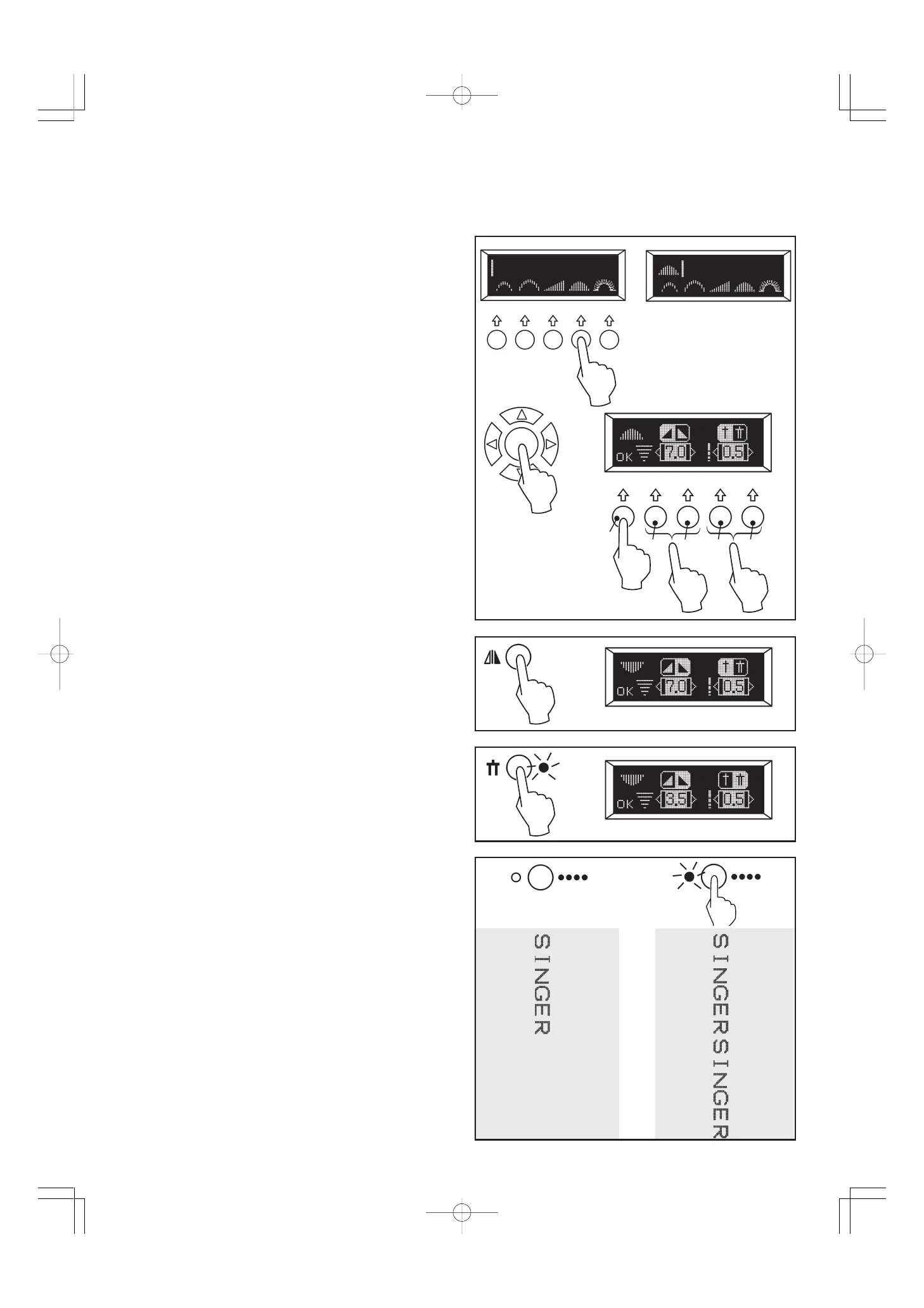
Settings of stitch length, width, mirror image and twin needle
can be changed for decorative stitch patterns except letter stitch
patterns:
A. STITCH WIDTH AND LENGTH SETTINGS
When a pattern is selected, it will automatically sew at default
settings of stitch length and width. Default settings are indicated
as highlighted numbers. You can make changes by pressing
multi-function buttons:
(1) Before going to the following steps, press the center button.
(2) Press the button (B) for narrower width and the button (C)
for wider width.
(3) Press the button (D) for shorter length and the button (E) for
longer length.
(4) After finishing the following steps, press the multi-function
button (A) below “OK” mark to memorize settings.
Note:
*If further adjustment is not possible, multiple beeps will sound.
B. MIRROR IMAGE SETTING
Mirror image of a selected pattern can be selected by pressing
the mirror image button, if the mirror image icon appears on
the display.
C. TWIN NEEDLE SETTING
Twin needle mode can be selected by pressing the twin needle
button, if the twin needle icon appears on the display. Doing so
will reduce the stitch width automatically and save broken
needles and possible damage to your machine.
SINGLE CYCLE OR CONTINUOUS SEWING
(1) The machine sews automatically one complete cycle of
pattern string and stop.
(2) Press the continuous button and LED will turn on and
pattern string will be sewn continuously until you stop the
machine.
(1)
(4)
(2)
(3)
A
CB D E
(1) (2)








 To Next Page