KNOWING YOUR SEWING MACHINE
11
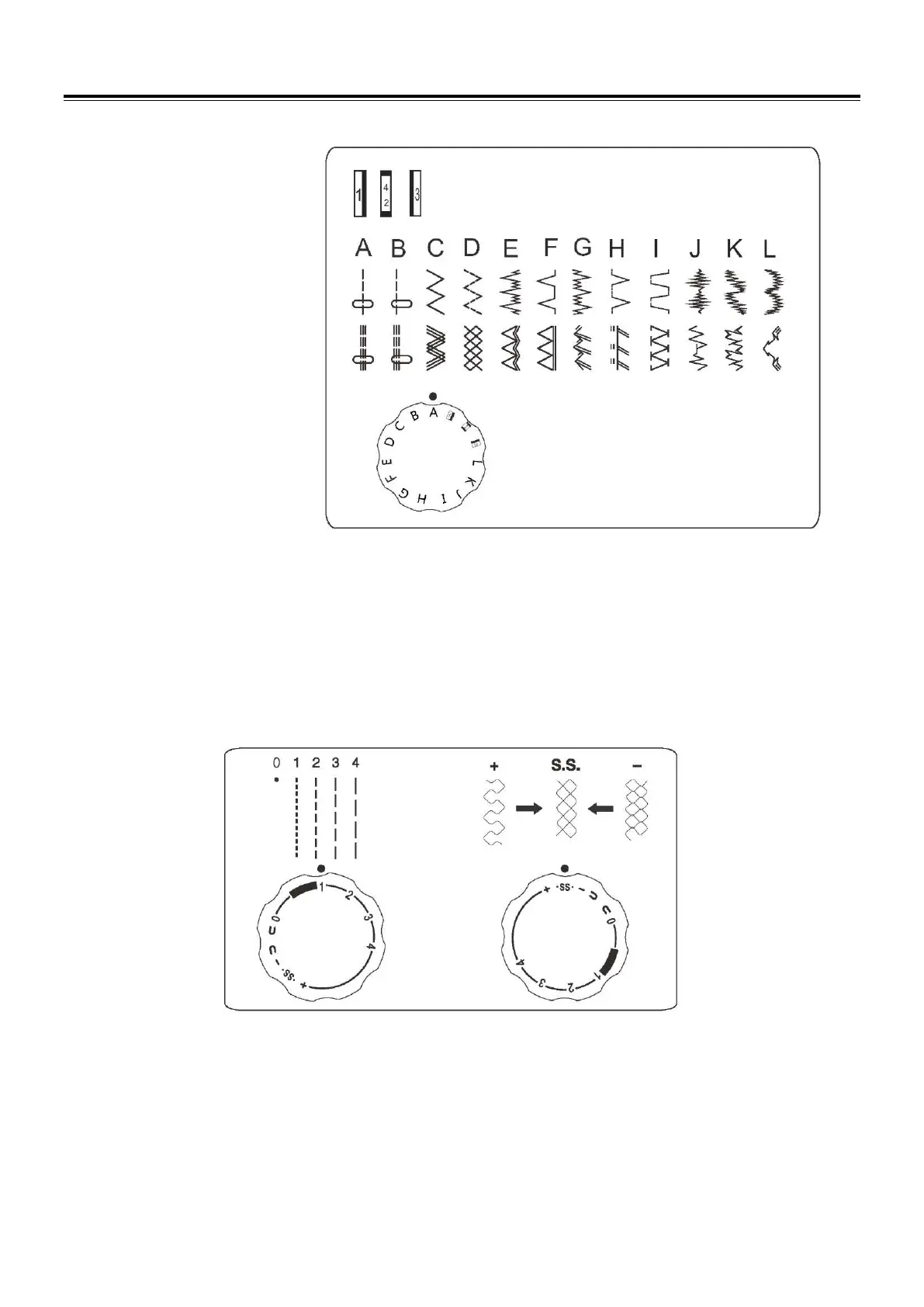
Pattern selector dial
Select the desired pattern at the setting mark by turning the pattern selector dial.
Selecting stretch stitch patterns
When sewing stretch stitches, set the stitch length dial at “SS”.
When forward and reverse feeds become unbalanced depending upon the type of fabric, correct as follows.
When patterns are compressed, correct it by turning the dial toward “+”.
When patterns are drawn out, correct it by turning the dial toward ”-”.
Stitch length dial
The higher the number, the longer the stitch length. Note: when set to “0”, the machine will not feed the fabric.



 To Next Page