7
ENGLISH
CHANGING THE PRE-MOTOR FILTER & HEPA FILTER
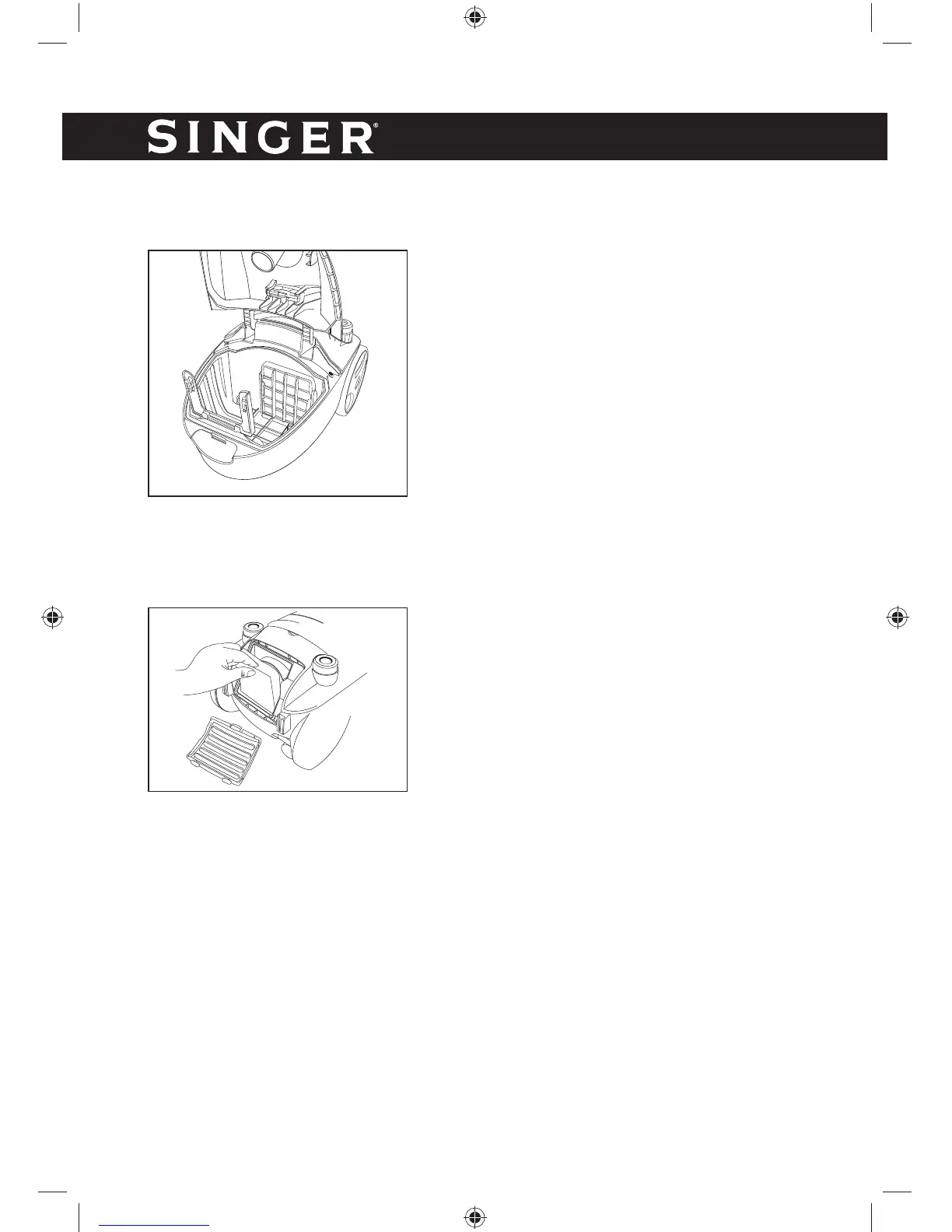
Changing & cleaning the pre-motor fi lter
1. Push the fl exible hose release button and remove
the fl exible hose.
2. Open the dust container cover by pushing the dust
container cover release button.
3. Remove the dust bag
4. Slide the protection grid together with the fi lter
upwards out of the holder.
5. Remover the fi lter from the protection grid and tap
it against a hard surface to make the dust fall out.
6. Reinsert the fi lter into the protection grid.
7. Slide the protection grid back into the holder.
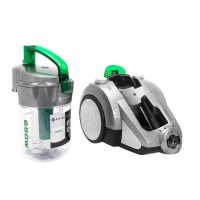
Changing of the HEPA fi lter
1. Open the grid of the rear fi lter by pressing the
release button of the rear fi lter.
2. Take out the HEPA fi lter.
3. Insert the new HEPA fi lter. Check that the HEPA
fi lter is fi tted correctly.
4. Put the grid back and close it.
Warning: Always unplug the unit from electrical outlet before getting out the fi lters.


 To Next Page