EasyManua.ls Logo

SINO SDS 2-3VA - User Manual

SINO SDS 2-3VA
53 pages
Print Icon
To Next Page IconTo Next Page
Loading...
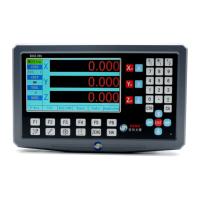
LCD DIGITAL DISPLAY
SDS 2-3VA
OPERATION MANUAL

Table of Contents

Questions and Answers

  • M
    mooreemilyAug 16, 2025
    Why is the SINO SDS 2-3VA Monitor display not showing anything?
    • P
      porterrichardAug 16, 2025
      If your SINO Monitor's display is blank, there could be several reasons: * The power might not be switched on. Ensure the power is on. * The fuse could be damaged. Replace it with a new one of the same specification. * The 220V power cable might be poorly connected. Check that the power plug is properly connected. * The power voltage may be inappropriate. Verify that the input power is within the range of 100V~240V.
  • H
    Heather CervantesAug 19, 2025
    What to do if the displayed value of a certain axis on my SINO Monitor is two times the normal value?
    • D
      Douglas RiceSep 12, 2025
      If the displayed value of an axis on your SINO Monitor is double the normal value, it may be caused by: * Incorrect resolution ratio of the grating ruler. Set the correct resolution. * The diameter display mode being set for that axis. Set the radius display mode instead.
  • T
    Thomas AndersonAug 21, 2025
    What to do if the case of my SINO Monitor display is electrified?
    • H
      Hannah CaseyAug 22, 2025
      If the case of your SINO Monitor display is electrified, it could be due to: * Poor grounding of the machine tool and display. Ensure both the machine tool case and the display case are properly grounded. * Electric leakage of the 220V power. Check the 220V power supply.
  • K
    Katrina HartAug 25, 2025
    What to do if the counting function of my SINO Monitor malfunctions, and the displayed distance doesn't match the actual distance?
    • N
      Nicholas WeberAug 25, 2025
      If the displayed distance on your SINO Monitor doesn't match the actual distance, consider the following: 1. The accuracy of the machine tool equipment may be poor. Repair the machine tool. 2. The operation speed of the machine tool equipment may be too high. Reduce the speed. 3. The grating ruler installation may not meet requirements. Reinstall the grating ruler. 4. The mm/inch display settings may not be correct. Convert mm/inch correctly. 5. The display and grating ruler resolutions may not match. Set the correct resolution. 6. The linear error compensation value may be improperly set. Set the correct value (or set it to 0 if no compensation is needed). 7. The grating ruler may be damaged. Repair or change the grating ruler.
  • K
    Kyle AndersonAug 28, 2025
    Why does the display-axis of my SINO Monitor not count?
    • T
      tonywelchAug 28, 2025
      The reason why the display-axis of your SINO Monitor does not count can be: * The grating ruler is damaged. Exchange it with the grating ruler of another axis to see whether the counting works normally. If yes, it is judged that the grating ruler is damaged. * There is not signal output of the grating ruler. If not, it is judged that there is a display problem.
  • D
    Dr. Barry BowmanAug 31, 2025
    How to fix disordered X/Y/Z values displayed on my SINO SDS 2-3VA Monitor?
    • S
      Stephanie MorrisAug 31, 2025
      If the X/Y/Z values on your SINO Monitor are disordered, it may be because: * There is a disorder of the system memory. Reset to the set factory defaults of the system. * The grating ruler is damaged, thus causing missing number. Repair or change the grating ruler.
  • J
    Jamie LewisSep 2, 2025
    What to do if all keys of my SINO Monitor display do not respond?
    • D
      Donald EvansSep 3, 2025
      If all the keys on your SINO Monitor display are unresponsive, the cause may be: * A disorder of the system memory. Try resetting to the factory defaults of the system. * A short circuit of the keys. Replace with a new mainboard.
  • T
    Tiffany HallSep 5, 2025
    What causes the data of my SINO SDS 2-3VA to automatically increase or decrease even when the grating ruler is not moving?
    • S
      Sabrina PruittSep 6, 2025
      If the data on your SINO Monitor increases or decreases automatically without movement of the grating ruler, it could be due to: * The grating ruler is damaged. Exchange it with the grating ruler of another axis to see whether the counting works normally. If yes, it is judged that the grating ruler is damaged. * The display malfunctions. If not, it is judged that there is a display problem.
  • J
    Joan HunterSep 9, 2025
    What to do if there is no response at the display of my SINO SDS 2-3VA Monitor when a single key is pressed?
    • J
      John RobertsSep 9, 2025
      If a single key press on your SINO Monitor display elicits no response, it could be: * The key is damaged. Change the key block. * There is a disorder of the system memory. Reset to the set factory defaults of the system.
  • M
    Margaret PatelSep 12, 2025
    Why are the X and Y axes displayed normally on my SINO SDS 2-3VA Monitor, but the Z axis cannot be displayed?
    • J
      Jeremy LopezSep 12, 2025
      If the X and Y axes display normally, but the Z axis is not displayed on your SINO Monitor, the wrong number axis might be selected. The system parameter setting interface is displayed. The selected axis is the 3rd axis.

Summary

Safety Information and Warnings

Danger!

Description of cases leading to death or serious injury.

Warning!

Description of cases leading to death or serious injury.

Caution!

Description of cases possibly leading to death or serious injury.

Electrical Caution

Precautions against electric shock and fire.

Important Safety Notices

Electrical Safety Warning

Do not open enclosure; contact professionals for service.

Urgent Attention

Unplug if smoke/odor; do not repair yourself.

Wiring Precautions

Ensure wiring integrity for accurate test data.

Repair and Modification Warning

Do not attempt unauthorized repairs or modifications.

Inter-brand Compatibility

Avoid connecting different brands without guidance.

Control Panel Overview

Display Key Functions

Display Interface Specifications

System Parameter Settings

Setting Number Axis Type

Configuring axis type for encoders or grating rules.

Encoder and Grating Ruler Settings

Setting Encoder Lines

Configuring the number of lines for a rotary encoder.

Setting Grating Ruler Resolution

Specifying the resolution of the connected grating ruler.

Axis Counting and Compensation Settings

Setting Counting Direction

Defining the direction of counting for rulers or encoders.

Setting Compensation Mode

Choosing between linear and non-linear error compensation.

Display Configuration Options

Basic Operation Instructions

Startup Procedure

Steps for powering on and initial system state.

Axis Operations and Units

Coordinate System Management

Auxiliary Zero Position Function

Setting ZER Zero Position

Zero Clearing Procedures

ZER Coordinate System Notes

Special Processing Functions

Oblique Plane Processing

Oblique Plane Calibration Steps

Oblique Plane Processing (XZ;YZ)

Error Compensation Function

Linear Error Compensation Methods

Non-linear Error Compensation

Non-linear Compensation Table

Troubleshooting Guide

Display Not Showing

Causes and solutions for display issues.

Electrified Case

Troubleshooting for electrified machine tool or display.

Incorrect Displayed Value

Issues with displayed values being double the normal value.

Troubleshooting Common Issues

Axis Counting Malfunctions

Problems with axis counting and signal output.

Display Data Disorder

Issues with memory or grating ruler damage.

Key Responsiveness Issues

Problems with keys not responding.

SINO SDS 2-3VA Specifications

General IconGeneral
BrandSINO
ModelSDS 2-3VA
CategoryMonitor
LanguageEnglish