

EasyManua.ls Logo

Sinope DM2550ZB - User Manual

Sinope DM2550ZB
2 pages
Print Icon
To Next Page IconTo Next Page
Loading...
SINGLE POLE WIRING DIAGRAM
3-WAY WIRING DIAGRAM
Warnings
CAUTION!
This dimmer requires a neutral wire. If your electrical box
does not have a neutral wire, you can either add one or
install the dimmer at a different location.
The installation of this dimmer must be performed by a
certified electrician and comply with the national and local
electrical codes and regulations.
To reduce the risk of overheating and possible damage to
another device, do not install to control an outlet, a motor
or a transformer.
DM2550ZB
Installation Guide
Smart Adaptive
Phase Dimmer
zigbee 3.0
YOUR SMART DIMMER DM2550ZB
INSTALL YOUR DIMMER
Press once to turn ON
the light. Hold down
the button to increase
the intensity. Press twice
to turn on the light
at maximum intensity.
Press once to turn
OFF the light. Hold down
the button to decrease
the intensity.
Indicator light
Light turned ON = Blue
Light turned OFF = Amber
The indicator intensity can be changed from Neviweb
and some compatible Zigbee gateways.
Make sure that the breaker for your switch
is OFF at the main electrical panel then
remove the old switch.
Use the provided screws to secure the
dimmer to the electrical box.
Then, place the wall plate.
1
2
Use the provided connectors to
connect the wires as follows:
*Note: For a single pole installation, do
not remove the label on the blue wire.
For a 3-way installation, see the 3-way
wiring diagram section above.
3
Power up
the dimmer.
4
Red
Black
White
Blue
Load
Line
Neutral
None*
Make sure to firmly tighten the
wire connectors for a secure
connection. A loose
connection can be a fire
hazard. Special CO/ALR
solderless connectors must be
used when connecting with
aluminum conductors.
Black (line)
Blue (3-way)
White (neutral)
Red (load)
Electrical
Panel
Load
DM2550ZB
Load
Line
Single Pole
switch
Electrical
Panel
DM2550ZB
Red (load)
Black (line)
Blue (3-way)
White (neutral)
Load
red
black
white
blue
load
line
Neutral
white( )
Neutral
(white)
line
load
Question and Answer IconNeed help?

Do you have a question about the Sinope DM2550ZB and is the answer not in the manual?

Summary

Safety Warnings

Smart Dimmer Features

Button Operation

Controls ON/OFF and intensity adjustment via button presses for the dimmer.

Indicator Light Functionality

Shows device status (ON/OFF) and can be adjusted via gateways.

Wiring Diagrams

Single Pole Wiring

Illustrates connections for a single-pole installation of the dimmer.

3-Way Wiring

Illustrates connections for a 3-way installation of the dimmer.

Installation Guide

Prepare for Installation

Ensure power is OFF at the breaker and remove the old switch before proceeding.

Wire Connections

Connect dimmer wires using provided connectors, ensuring secure connections.

Mounting and Finishing

Secure the dimmer to the box and attach the wall plate.

Power Up Dimmer

Restore power to the dimmer after installation is complete.

Gateway and App Integration

Adding Dimmer to Neviweb App

Follow steps to add the dimmer via the Neviweb mobile application.

Connecting Dimmer to Zigbee Gateway

Process for connecting the dimmer to the GT130 gateway or compatible Zigbee system.

Disconnecting from Gateway

Troubleshooting Common Issues

LED Flicker at Low Intensity

Adjust minimum dimming intensity in Neviweb to prevent flickering.

Persistent Bulb Flicker

Change control mode in Neviweb settings to resolve persistent flickering.

Technical Specifications

Overview

The Sinopé DM2550ZB is a Smart Adaptive Phase Dimmer designed for controlling lighting in residential and commercial settings. It operates on the Zigbee 3.0 protocol, allowing for smart home integration and control via compatible gateways like the Sinopé GT130 gateway or other Zigbee systems.

Function Description:

The DM2550ZB dimmer is used to control the brightness of various lighting types, including incandescent, halogen, and dimmable LED/CFL bulbs. It supports both single-pole and 3-way wiring configurations. The dimmer features a physical interface with two buttons for manual control:
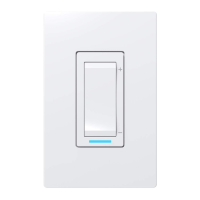
  • Top Button: Press once to turn ON the light. Hold down to increase the intensity. Press twice to turn on the light at maximum intensity.
  • Bottom Button: Press once to turn OFF the light. Hold down to decrease the intensity. An indicator light provides visual feedback on the dimmer's status: blue when the light is ON and amber when the light is OFF. The intensity of this indicator light can be adjusted through the Neviweb app or compatible Zigbee gateways.

Important Technical Specifications:

  • Operating Voltage: 120 Vac, 60 Hz
  • Operating Temperature: 0 °C to 40 °C (32 °F to 104 °F)
  • Storage Temperature: -20 °C to 50 °C (-4 °F to 122 °F)
  • Standards: Conforms to ANSI/UL Std. 1472, Certified to CAN/CSA Std. C22.2#184.1
  • Protocol: Zigbee 3.0
  • Frequency: 2.4 GHz
  • Transmission Power: +20 dBm
  • Receiver Sensitivity: -108 dBm
  • Wiring: Requires a neutral wire. If a neutral wire is not available in the electrical box, the dimmer cannot be installed there.
  • Maximum Load per Dimmer:
    • Single Installation: 600 W (Incandescent/Halogen), 150 W (Dimmable LED/CFL)
    • Multi-gang (2 units): 500 W (Incandescent/Halogen), 150 W (Dimmable LED/CFL)
    • Multi-gang (3 units): 400 W (Incandescent/Halogen), 150 W (Dimmable LED/CFL)
  • Provided Connectors: Stripping length 16 mm, for wires 22-10 AWG, Cu. Combinations: Max. 2 #12 & 2 #14, Min. 3 #20 Sol.

Usage Features:

  • Smart Home Integration: The dimmer can be added to the Sinopé GT130 gateway or any compatible Zigbee system. This allows for remote control, scheduling, and automation through the Neviweb app or other Zigbee-enabled platforms.
  • Connectivity Session: To connect the dimmer to a gateway, simultaneously press both dimmer buttons for 1 second. The indicator light will flash blue during connection and turn green upon successful connection. If connection fails, it will turn red.
  • Disconnection: To disconnect the dimmer from a gateway, simultaneously press both dimmer buttons for 10 seconds.
  • Adaptive Phase Dimming: The DM2550ZB is configured in reverse phase by default, which enhances compatibility with various bulb types. If flickering issues persist, the control mode can be changed in the dimmer settings via the Neviweb app.
  • Minimum Dimming Intensity Adjustment: For LED bulbs that flicker at low intensity, the minimum dimming level can be adjusted in the Neviweb app to prevent this issue.
  • Indicator Light Customization: The intensity of the dimmer's indicator light (blue for ON, amber for OFF) can be adjusted via Neviweb or other compatible Zigbee gateways.

Maintenance Features:

  • Installation: Installation must be performed by a certified electrician and comply with national and local electrical codes. Ensure the breaker for the switch is OFF before installation. Secure wire connections firmly to prevent fire hazards; use special CO/ALR solderless connectors for aluminum conductors.
  • Troubleshooting:
    • LED bulbs flicker at low intensity: Adjust the minimum dimming light intensity in the Neviweb app.
    • Bulbs flicker at low and high intensity: Change the control mode (reverse phase by default) in the dimmer settings on the Neviweb app.
    • Connectivity issues: Refer to the Sinopé website for troubleshooting guides.
  • Warranty: Sinopé Technologies Inc. provides a 3-year limited warranty covering defects in material and workmanship under normal use and service, with proof of purchase. The warranty covers the supply of a new unit but does not cover transportation costs or installation costs.
  • Safety Precautions: Do not install the dimmer to control an outlet, a motor, or a transformer to reduce the risk of overheating and damage to other devices.

Sinope DM2550ZB Specifications

General IconGeneral
BrandSinope
ModelDM2550ZB
CategoryDimmer
LanguageEnglish