Need help?
Do you have a question about the SINOPUREN OL360 PRO and is the answer not in the manual?
Register your Sinopuren machine for extended 36-month warranty coverage. Contact helpline for support.
Normal warranty is 12 months, extendable to 3 years by registering within 1 month of purchase.
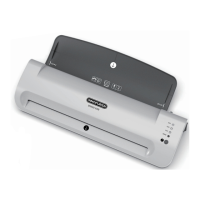
Overview of key parts including Puncher Entrance, Pouch Exit, and indicator elements.
Details OL260 PRO/OL360 PRO specs: speed, width, power, dimensions, and weight.
Highlights include LED indicators, auto shut-off, quick warm-up, and carrier-less lamination.
Step-by-step guide for hot lamination, including foil thickness selection and insertion.
Instructions for cold lamination, focusing on pouch preparation and insertion.
Verify the machine's voltage (120V, 60Hz) matches your power supply to prevent issues.
Tips to avoid creases, handle hot laminated items, and prepare pouches correctly.
Allow up to 30 minutes for the laminator to cool down after hot lamination.
Read manual, no user servicing, use correct pouches, avoid heat-sensitive materials, supervise children.
Proper pouch insertion, alignment, size selection, and avoiding staples/clips.
Solutions for non-responsive LEDs, foil jams, and incomplete lamination.
CE conformity confirmation and guidelines for responsible end-of-life product recycling.
Covers defects in material and workmanship for 3 years. Exclusions apply.
Contact customer service via email for support; do not return to the point of purchase.


 To Next Page
 General