Aurora Explorers Edition Accessory Manual 4
Using the SiOnyx Aurora Night Vision Camera
Information on using the SiOnyx Aurora Night Vision Camera can be found in the User Manual (Click Here).
How to Attach the Picatinny Rail Mount to the Aurora
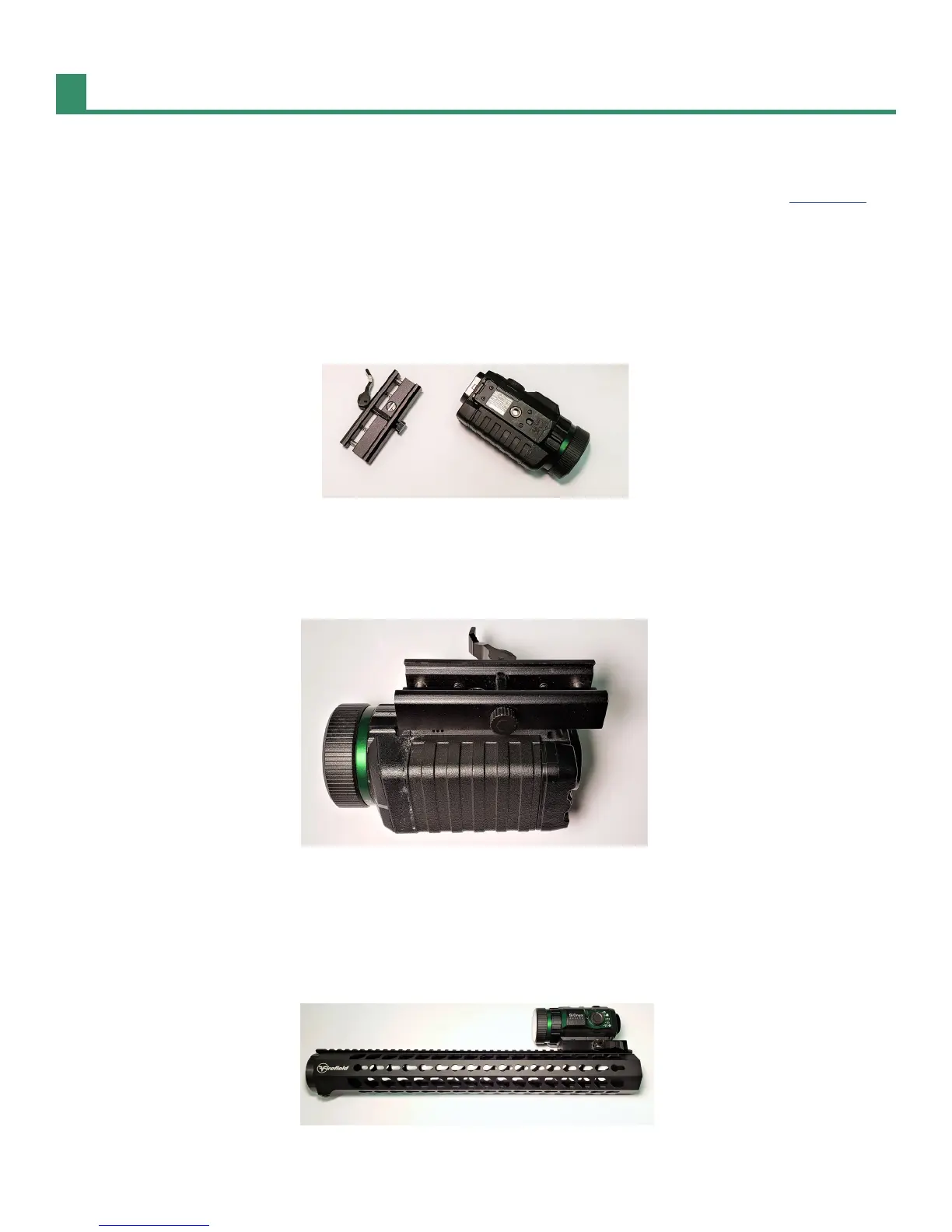
The Picatinny rail mount is designed to t in the 1/4”-20 standard mount on the bottom of your camera.
1. Align the guide post on the mount with the guide hole on the bottom of the camera.
2. Align and tighten the screw on the mount into the screw hole on the camera.
3. Loosen the quick release screw on the mount to approximate the spacing of the Picatinny rail.
4. Place the camera and mount anywhere you’d like on the rail.
5. Close the quick-release latch.



 To Next Page