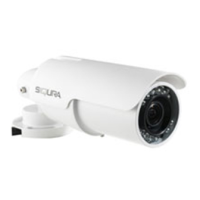
Need help?
Do you have a question about the Siqura BC820 Series and is the answer not in the manual?
Precautions for handling, maintenance, and operation to prevent damage and hazards.
Step-by-step guide on how to access the camera's web interface using a web browser.
Guide on how to assign static or DHCP IP addresses using Siqura Device Manager.
Details on how to log in to the camera's web interface using user credentials.
Covers user management, security certificates, and IP address filtering for camera security.
Options to restore factory settings, excluding or including network settings.
Instructions for upgrading the camera's firmware.
Configuration of automatic and manual exposure settings for optimal image brightness.
Adjusting white balance using Auto, ATW, One Push, or Manual modes.
Adjusts settings to balance exposure for dark and bright areas in the scene.
Applies noise reduction techniques for improved image quality in low light.
Enabling and configuring Pan/Tilt control using RS-485 protocols.

 To Next Page
 General