9
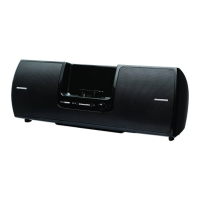
4. Radio Dock Adapter Slot: Holds adapter for the Radio.
5. Headphone Connector: Stereo headphone jack to privately listen to the
Universal Boombox.
6. Power On/Low Battery Light: The light is a constant blue when the
Universal Boombox is powered on. The light will turn red when the
batteries in the Universal Boombox are nearly discharged and need
replacement.
7. DC POWER Connector: Connection for the Home Power Adapter. (DC
Power)
8. ANTENNA Connector: Connection for the Indoor/Outdoor Home Antenna
(Antenna).
9. Antenna Storage: Storage area for the Indoor/Outdoor Home Antenna.
10. Cable Storage: Storage area for the antenna cable.
11. Battery Compartments: Two battery compartments for a total of eight “D”
size cells.
Introduction


 To Next Page
 Loading...