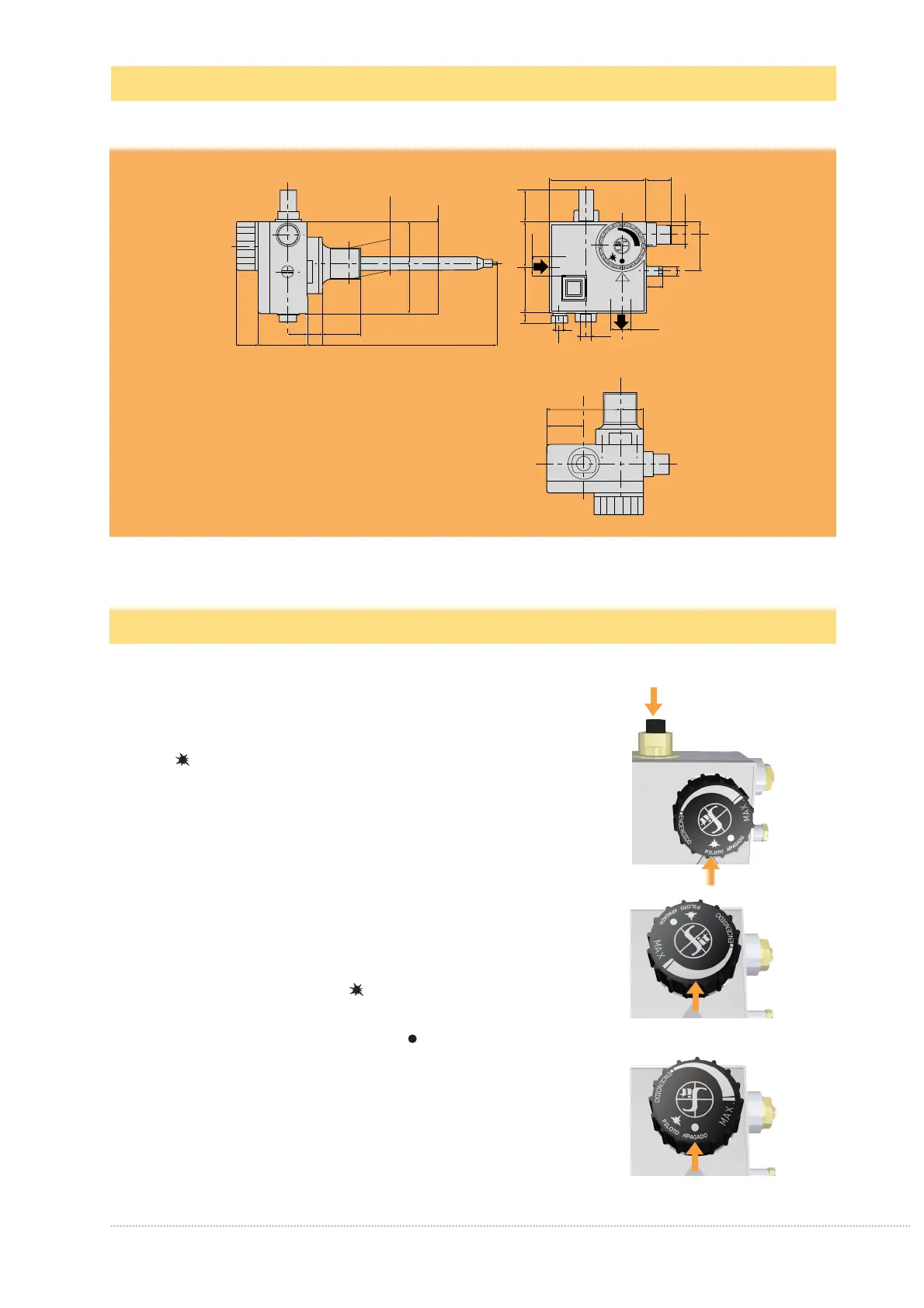
Pilot flame ignition
Turn the control and temperature selection knob to the pilot
position .
Depress the ignition button and ignite the pilot flame while
keeping the button fully depressed for a few seconds (fig. 1).
Release the button and check that the pilot flame stays lit. If it
goes out, repeat the ignition operation.
Main burner ignition
Turn the control and temperature selection knob to the point
corresponding to the desired temperature (fig. 2).
Pilot position
To close the main burner and keep the pilot flame on, turn the
control knob to the pilot position .
Shutdown
Turn the control knob to the OFF position (fig. 3).
CAUTION: after shutting down, wait at least two minutes befo-
re re-igniting so as to allow the flame failure device to return
to the safety position.
fig. 3
fig. 1
fig. 2


 To Next Page