Need help?
Do you have a question about the Sitecom WL-114V2 and is the answer not in the manual?
Overview of the router's capabilities and functionalities.
Lists all items included in the product package.
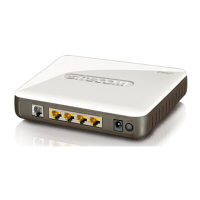
Describes the physical components and indicators of the router.
Guides through the physical setup process of the router.
Configures computer network settings for optimal router connectivity.
Guides on activating the browser and logging into the router's web interface.
Explains how to view the router's working status, including WAN port and statistics.
Guides through the basic router configuration using the setup wizard.
Covers essential router settings like LAN IP address and WAN connection type.
Introduces various security configurations available for the router.
Provides advanced configuration options for router functionality.
Offers tools for system management, diagnostics, and maintenance.
Steps to install the TCP/IP protocol on a Windows PC.
Details TCP/IP configuration for operating with the NAT router.
Lists hardware and software requirements for 802.1X testing.
Outlines configuration steps for the device under test and RADIUS server.
Describes client authentication using a Windows 2000 RADIUS server.
Details authenticating PC2 using PEAP-TLS with the RADIUS server.
Steps to configure WPA security using a RADIUS server.
Alternative WPA configuration involving certificate acquisition.
Provides methods to reset the router to its factory default settings.
 General
| Brand | Sitecom |
|---|---|
| Model | WL-114V2 |
| Category | Network Router |
| Language | English |


 To Next Page