EasyManua.ls Logo

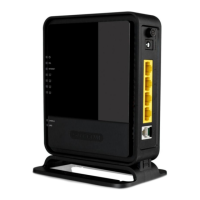
Sitecom WL-328 - User Manual

Sitecom WL-328
59 pages
Print Icon
To Next Page IconTo Next Page
Loading...
WL-328
300N concurrent dual band
Router
(802.11bgn draft 2.0)
Question and Answer IconNeed help?

Do you have a question about the Sitecom WL-328 and is the answer not in the manual?

Summary

Key Features

Network and System Requirements

LAN and WAN Setup

PC Network Adapter Setup (Windows XP)

Powering Up the WL-328

Initial Setup and Login

Configuration Wizard

Wireless Settings

Wireless Function Control

Enable or disable the wireless module function of the router.

Wireless Basic Settings

Configure ESSID, Mode, Band, and Channel for wireless connection.

Wireless Advanced Settings

Set advanced wireless options like Authentication Type and Fragment Threshold.

Wireless Security Configuration

Configure WEP, WPA, WPA2, and 802.1x authentication for security.

Firewall Settings

Denial of Service (DoS) Protection

Block common hacker attacks like Ping of Death, Port Scan, Sync Flood.

Advanced Settings

Port Forwarding

Redirect service port numbers to a specific LAN IP address.

Virtual Server Setup

Handle different service/application types from the Internet.

Toolbox Settings

Password Change

Change the router's system web-based management password.

Summary

Key Features

Network and System Requirements

LAN and WAN Setup

PC Network Adapter Setup (Windows XP)

Powering Up the WL-328

Initial Setup and Login

Configuration Wizard

Wireless Settings

Wireless Function Control

Enable or disable the wireless module function of the router.

Wireless Basic Settings

Configure ESSID, Mode, Band, and Channel for wireless connection.

Wireless Advanced Settings

Set advanced wireless options like Authentication Type and Fragment Threshold.

Wireless Security Configuration

Configure WEP, WPA, WPA2, and 802.1x authentication for security.

Firewall Settings

Denial of Service (DoS) Protection

Block common hacker attacks like Ping of Death, Port Scan, Sync Flood.

Advanced Settings

Port Forwarding

Redirect service port numbers to a specific LAN IP address.

Virtual Server Setup

Handle different service/application types from the Internet.

Toolbox Settings

Password Change

Change the router's system web-based management password.

Sitecom WL-328 Specifications

General IconGeneral
TypeWireless Router
Wi-Fi standards802.11n
Frequency Band2.4 GHz
Wireless speedUp to 300 Mbps
Wired connections4 x 10/100Mbps LAN, 1 x 10/100Mbps WAN
SecurityWEP, WPA, WPA2

Related product manuals