Port Forwarding
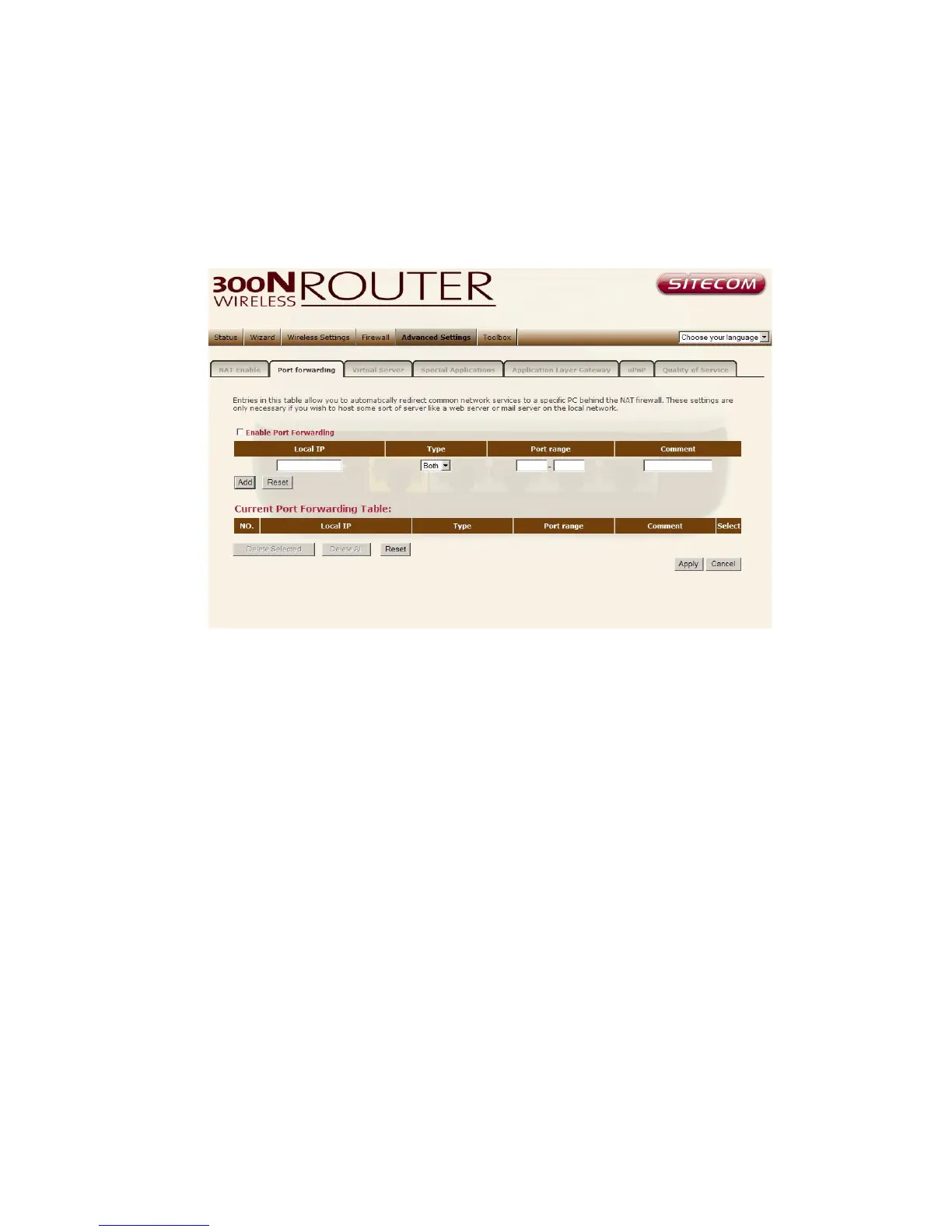
Port Forwarding allows you to re-direct a particular range of service port
numbers (from the Internet/WAN Port) to a particular LAN IP address. It helps
you to host servers behind the router NAT firewall.
Enable Port Forwarding Enable Port Forwarding
Private IP This is the private IP of the server behind the NAT firewall.
Type This is the protocol type to be forwarded. You can choose to forward
“TCP” or “UDP” packets only, or select “both” to forward both “TCP” and “UDP”
packets.
Port Range The range of ports to be forward to the private IP.
Comment description of this setting.
Add Port Forwarding Fill in the "Private IP", “Type”, “Port Range” and
"Comment" of the setting to be added and then click "Add". Then this Port
Forwarding setting will be added into the "Current Port Forwarding Table"
below.



 To Next Page