DDNS
Dynamic DNS (DDNS) allows you to map the static domain name to a dynamic
IP address. You must get an account, password and your static domain name
from the DDNS service providers.
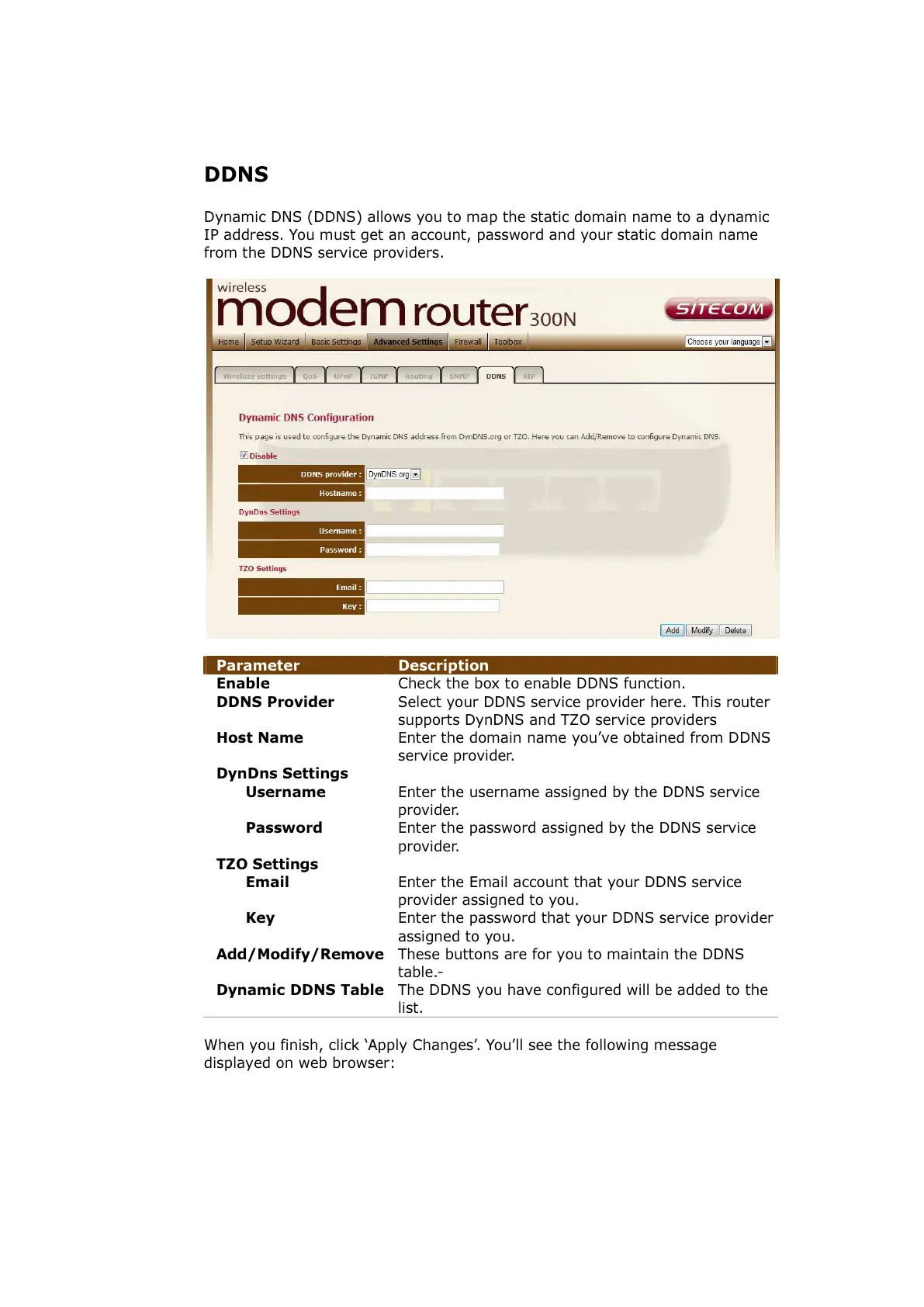
Parameter Description
Enable Check the box to enable DDNS function.
DDNS Provider Select your DDNS service provider here. This router
supports DynDNS and TZO service providers
Host Name Enter the domain name you’ve obtained from DDNS
service provider.
DynDns Settings
Username Enter the username assigned by the DDNS service
provider.
Password Enter the password assigned by the DDNS service
provider.
TZO Settings
Email Enter the Email account that your DDNS service
provider assigned to you.
Key Enter the
The DDNS you have configured will be added to the
list.
When you finish, click ‘Apply Changes’. You’ll see the following message
displayed on web browser:



 To Next Page