MAC Filtering
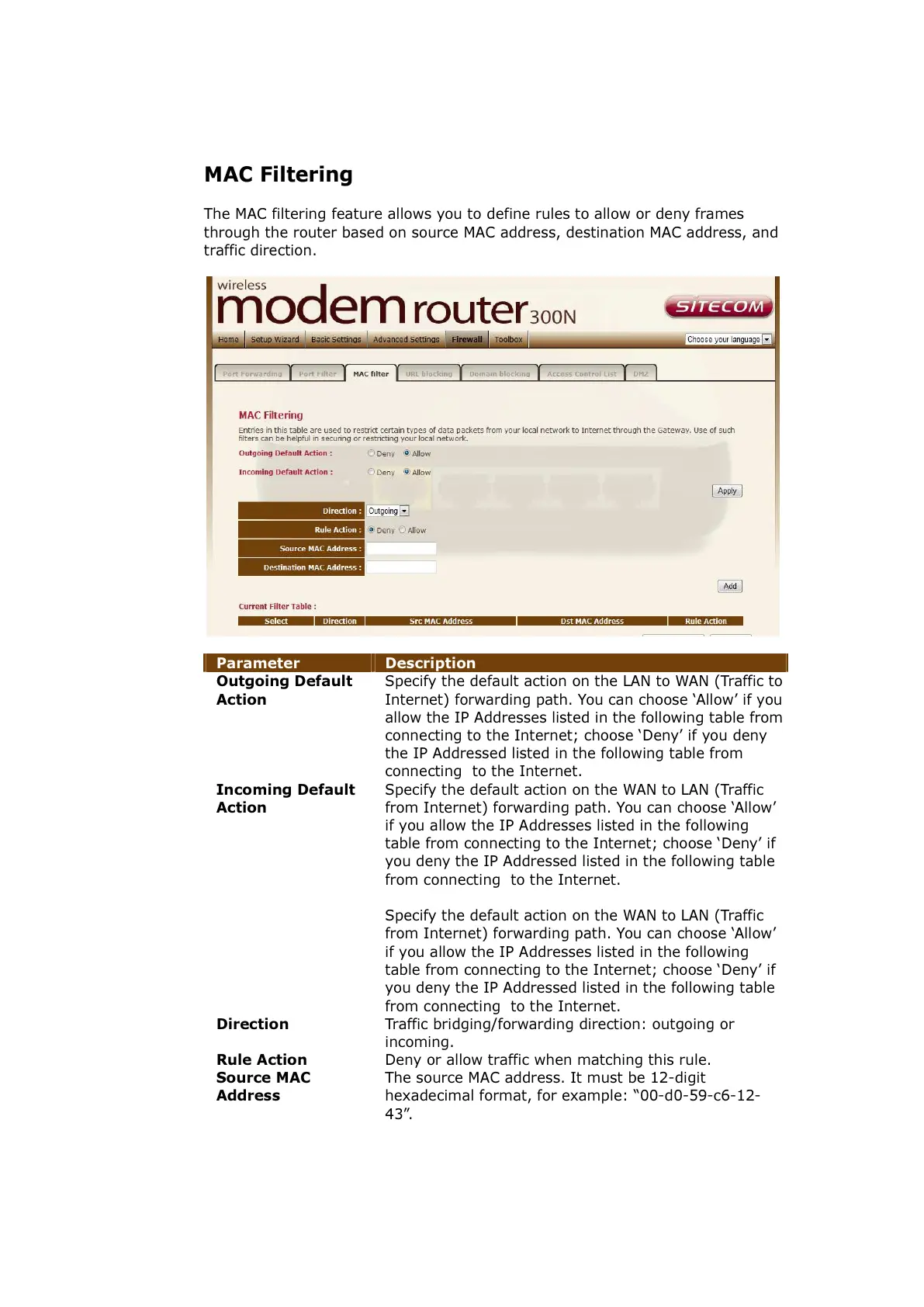
The MAC filtering feature allows you to define rules to allow or deny frames
through the router based on source MAC address, destination MAC address, and
traffic direction.
Parameter Description
Outgoing Default
Action
Specify the default action on the LAN to WAN (Traffic to
Internet) forwarding path. You can choose ‘Allow’ if you
allow the IP Addresses listed in the following table from
connecting to the Internet; choose ‘Deny’ if you deny
the IP Addressed listed in the following table from
connecting to the Internet.
Incoming Default
Action
Specify the default action on the WAN to LAN (Traffic
from Internet) forwarding path. You can choose ‘Allow’
if you allow the IP Addresses listed in the following
table from connecting to the Internet; choose ‘Deny’ if
you deny the IP Addressed listed in the following table
from connecting to the Internet.
Specify the default action on the WAN to LAN (Traffic
from Internet) forwarding path. You can choose ‘Allow’
if you allow the IP Addresses listed in the following
table from connecting to the Internet; choose ‘Deny’ if
you deny the IP Addressed listed in the following table
from connecting to the Internet.
Direction Traffic bridging/forwarding direction: outgoing or
incoming.
Rule Action Deny or allow traffic when matching this rule.
Source MAC
Address
The source MAC address. It must be 12-digit
hexadecimal format, for example: “00-d0-59-c6-12-
43”.



 To Next Page