Press ‘Continue’ to save the settings made and back to web management
interface; press ‘Apply’ to save the settings made and restart the router so the
settings will take effect after it reboots.
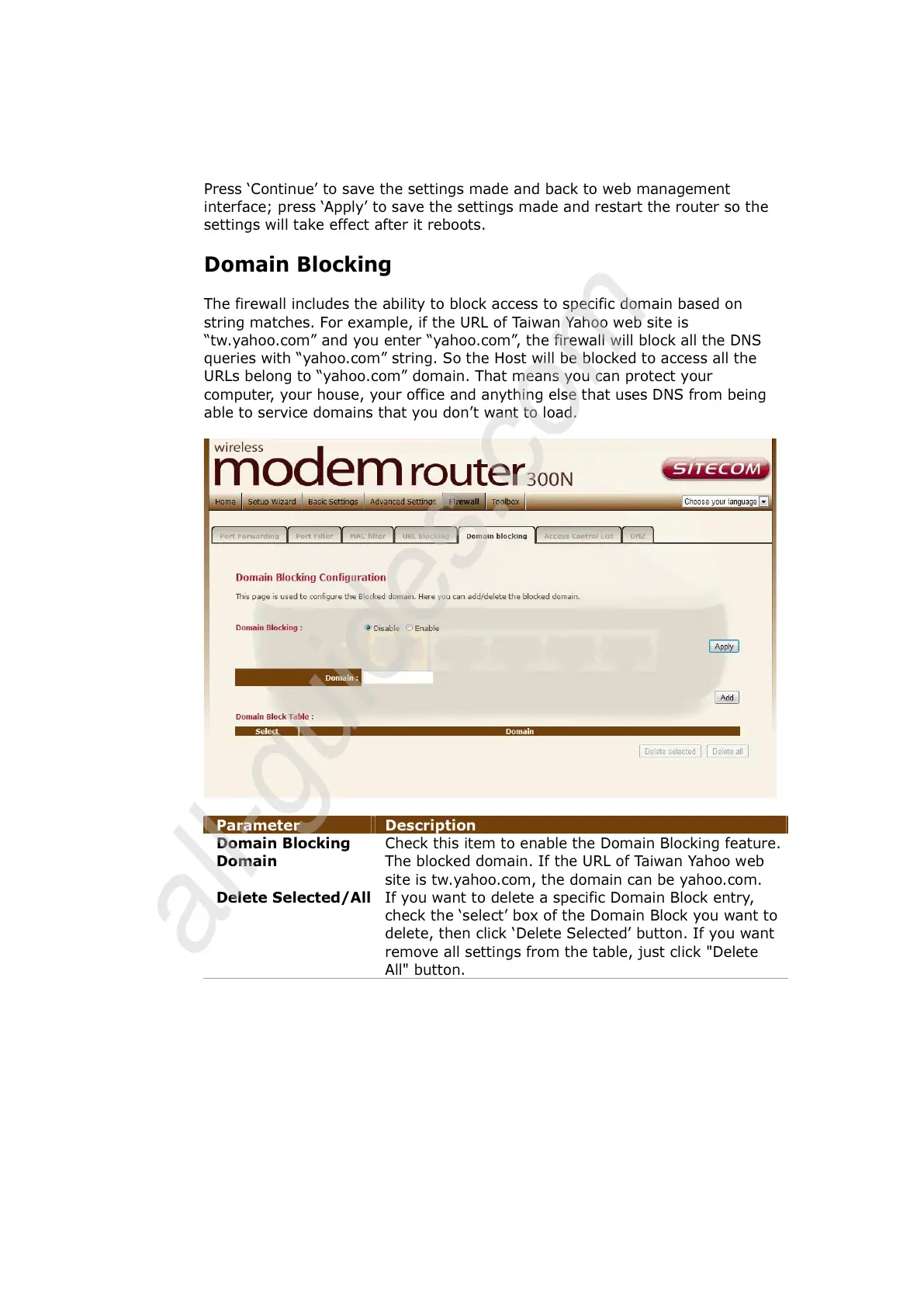
Domain Blocking
The firewall includes the ability to block access to specific domain based on
string matches. For example, if the URL of Taiwan Yahoo web site is
“tw.yahoo.com” and you enter “yahoo.com”, the firewall will block all the DNS
queries with “yahoo.com” string. So the Host will be blocked to access all the
URLs belong to “yahoo.com” domain. That means you can protect your
computer, your house, your office and anything else that uses DNS from being
able to service domains that you don’t want to load.
Parameter Description
Domain Blocking Check this item to enable the Domain Blocking feature.
Domain The blocked domain. If the URL of Taiwan Yahoo web
site is tw.yahoo.com, the domain can be yahoo.com.
Delete Selected/All
If you want to delete a specific Domain Block entry,
check the ‘select’ box of the Domain Block you want to
delete, then click ‘Delete Selected’ button. If you want
remove all settings from the table, just click "Delete
All" button.



 To Next Page