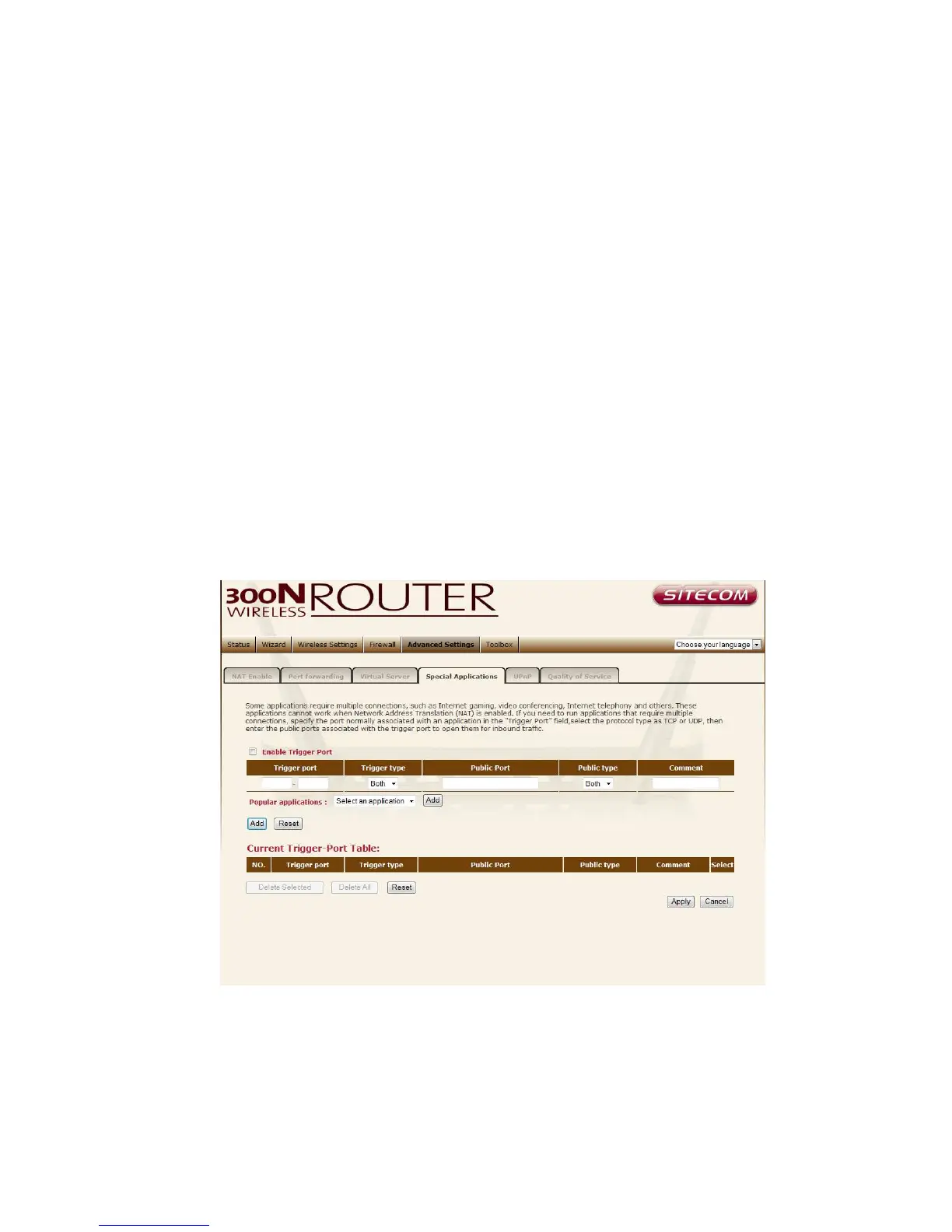
Special Applications
Some applications require multiple connections, such as Internet games,
video Conferencing, Internet telephony and others. In this section you can
configure the router to support multiple connections for these types of
applications.
Enable Trigger Port Enable the Special Application function.
Trigger Port This is the out going (Outbound) range of port numbers for this
particular application.
Trigger Type Select whether the outbound port protocol is “TCP”, “UDP” or
both.
Public Port Enter the In-coming (Inbound) port or port range for this type of
application (e.g. 2300-2400, 47624)
Public Type Select the Inbound port protocol type: “TCP”, “UDP” or both
Comment The description of this setting.



 To Next Page