EasyManua.ls Logo

Sitecom X6 N900 - User Manual

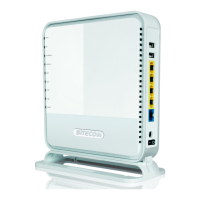
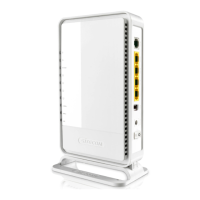
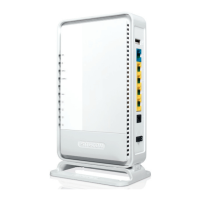
Sitecom X6 N900
60 pages
Print Icon
To Next Page IconTo Next Page
Loading...
WLR-6100
User Manual
Question and Answer IconNeed help?

Do you have a question about the Sitecom X6 N900 and is the answer not in the manual?

Summary

Safety and Cautions

General Usage and Safety Warnings

Provides essential safety instructions, usage precautions, and handling advice for the router.

Hardware Overview

Initial Router Setup

Router Placement and Power Connection

Guides on optimal placement and physical connection of the router for best performance.

Computer Connection Setup (Windows Manual)

Computer Connection Setup (Windows OPS)

Computer Connection Setup (MacOSX)

Router Login Procedure

Accessing the Router Interface

Instructions on how to access and log into the router's web-based management interface.

Internet Connection Configuration (IPv4)

IPv6 Connection Setup

Static IPv6 Mode

Manual configuration for IPv6 addresses, DNS, and gateway.

Router Status and DHCP

DHCP Server Configuration

Configuration of the DHCP server for automatic IP address assignment to network clients.

Wireless Network Settings

Basic Wireless Configuration

Configuring SSID, channel, and band for 2.4GHz and 5GHz wireless networks.

Network Security

Wireless Security Modes

Configuring WEP, WPA, WPA2, and WPA-Radius for secure wireless access.

WEP Encryption Setup

Detailed steps for setting up WEP encryption keys for wireless security.

WPA-Radius Security Setup

Configuring WPA security with a RADIUS server for enterprise-level authentication.

Access Control and WPS

Access Control List (ACL)

Managing network access using MAC and IP filtering.

Wi-Fi Protected Setup (WPS)

Configuring and using WPS for simple wireless connection setup.

Firewall and DMZ Settings

Firewall Functionality

Configuring firewall rules for network protection against common internet attacks.

DMZ Host Configuration

Setting up a Demilitarized Zone (DMZ) for unrestricted internet access for specific devices.

Access Control Details

Advanced Network Settings

Virtual Server Configuration

USB Port Functionality

Sitecom Cloud Security

Password Management

Firmware and Backup Settings

Firmware Upgrade Process

Updating the router's system firmware to the latest version.

System Reset and DDNS

Summary

Safety and Cautions

General Usage and Safety Warnings

Provides essential safety instructions, usage precautions, and handling advice for the router.

Hardware Overview

Initial Router Setup

Router Placement and Power Connection

Guides on optimal placement and physical connection of the router for best performance.

Computer Connection Setup (Windows Manual)

Computer Connection Setup (Windows OPS)

Computer Connection Setup (MacOSX)

Router Login Procedure

Accessing the Router Interface

Instructions on how to access and log into the router's web-based management interface.

Internet Connection Configuration (IPv4)

IPv6 Connection Setup

Static IPv6 Mode

Manual configuration for IPv6 addresses, DNS, and gateway.

Router Status and DHCP

DHCP Server Configuration

Configuration of the DHCP server for automatic IP address assignment to network clients.

Wireless Network Settings

Basic Wireless Configuration

Configuring SSID, channel, and band for 2.4GHz and 5GHz wireless networks.

Network Security

Wireless Security Modes

Configuring WEP, WPA, WPA2, and WPA-Radius for secure wireless access.

WEP Encryption Setup

Detailed steps for setting up WEP encryption keys for wireless security.

WPA-Radius Security Setup

Configuring WPA security with a RADIUS server for enterprise-level authentication.

Access Control and WPS

Access Control List (ACL)

Managing network access using MAC and IP filtering.

Wi-Fi Protected Setup (WPS)

Configuring and using WPS for simple wireless connection setup.

Firewall and DMZ Settings

Firewall Functionality

Configuring firewall rules for network protection against common internet attacks.

DMZ Host Configuration

Setting up a Demilitarized Zone (DMZ) for unrestricted internet access for specific devices.

Access Control Details

Advanced Network Settings

Virtual Server Configuration

USB Port Functionality

Sitecom Cloud Security

Password Management

Firmware and Backup Settings

Firmware Upgrade Process

Updating the router's system firmware to the latest version.

System Reset and DDNS

Sitecom X6 N900 Specifications

General IconGeneral
Maximum Wireless Speed900 Mbps
Frequency Bands2.4 GHz, 5 GHz
Ethernet Ports4 x 10/100/1000 Mbps
SecurityWPA, WPA2, WEP
Dimensions200 x 150 x 35 mm
Wireless Standard802.11a/b/g/n
Ports4 x LAN, 1 x WAN

Related product manuals