ENGLISH
2
WinXP/Vista/Win7/Win8/Win8.1/Win10
UPC-A/UPC-
E/JAN13(EAN13)/JAN8(EAN8)/CODE39/ITF/
/CODEBAR/CODE93/CODE128
AC100~220V
(50/60HZ <1.5A)
Suitable temperature: Between 0 and 45ºC
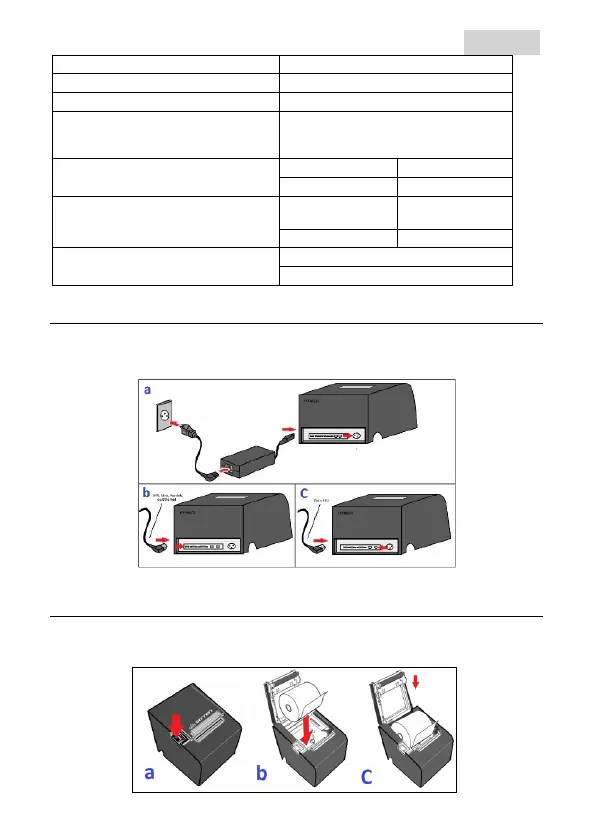
Turn on the printer
a.
Connect the power cable to the printer;
b.
Connect the data cable to the selected interface (USB, serial or Ethernet);
c.
Connect the drawer cable (optional) to the printer.
Insert the paper roll
a.
Open the printer cover;
b.
Place the paper roll;
c.
Close the printer cover (leave about 3cm of paper out, whilst closing the cover).


 To Next Page