EasyManua.ls Logo

SIYI R1 - User Manual

SIYI R1
33 pages
Print Icon
To Next Page IconTo Next Page
Loading...
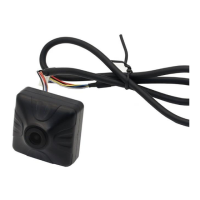
R1 R1M Recording Camera User Manual V1.0
1
2022 SIYI Technology Copyright
R1 / R1M
HD RECORDING
FPV CAMERA
USER MANUAL
V1.0
Oct 2022
Question and Answer IconNeed help?

Do you have a question about the SIYI R1 and is the answer not in the manual?

Summary

READ TIPS

Icons

Explains icons used for warnings and marks in the manual.

Safety

Provides warnings about device manipulation, age restrictions, and prohibited modifications.

Storage;Carrying;Recycling

Offers precautions for product storage, outdoor use, and end-of-life disposal.

CAUTION

Advises placing products away from children's reach.

DANGER

Lists conditions to avoid for product placement, including temperature and stability.

1 INTRODUCTION

1.1 Ports and Definitions

Details the physical ports and their functions on the camera module.

1.2 Technical Specification

Outlines overall device specifications and camera technical details.

2 HOW TO CONFIGURE CAMERA

2.1 Check IP

Explains how to check the camera's current IP address using a .txt file.

2.2 Change IP

Guides users on modifying the camera's IP address via a .txt file and restart procedure.

3 VIDEO RECORDING

4 IMAGE TRANSMISSION AND DISPLAY

4.1 Connect to HM30 HD Image Transmission System

Details connecting the camera to the HM30 system for video display.

4.2 Connect to MK15 Mini Handheld Smart Controller

Explains how to connect the camera to the MK15 controller for video streaming.

4.3 Connect to Third-Party Image Transmission Systems

Guides on connecting to external systems using Ethernet and RTSP.

4.4 Solutions to No Image from R1; R1 M Recording Camera

Provides steps to diagnose and resolve issues with no video output from the camera.

4.4.1 Video Output to An Android Device

Details troubleshooting steps for video display on Android devices.

4.4.2 Video Output to A Windows Device

Guides on troubleshooting video display issues on Windows devices using CMD.

4.5 Common IP Addresses

Lists default IP addresses and RTSP addresses for the camera and app.

5 SIYI FPV APP

SIYI FPV App OSD Information Definition

Explains the meaning of various data displayed on the FPV app's OSD.

SIYI FPV Camera Function Icon Definition

Defines the icons used for camera functions within the SIYI FPV application.

5.1 Settings

Describes how to configure camera IP, interface, and decoding type in the app settings.

5.2 Link Status

Explains how to view and interpret link status information within the FPV app.

5.3 Gimbal Camera

Details configuration options for SIYI gimbal cameras and their functions.

5.4 About SIYI FPV

Provides the software version of SIYI FPV and contact details for SIYI Technology.

6 Firmware Upgrade and Configuration

Firmware Upgrade Steps

Outlines the step-by-step process for updating the camera firmware using an SD card.

7 After-sale Service

8.1 Repair Service

Explains how to obtain repair services for SIYI products, covering defects and damage.

8.2 Warranty

Details SIYI Technology's guarantees for return, refund, replacement, and repair services.

8.2.1 7-Day Return & Refund

Specifies the conditions and exclusions for requesting a 7-day return and refund service.

8.2.2 15-Day Replacement

Outlines the terms and conditions for a 15-day product replacement service.

8.2.3 1-Year Warranty Repair

Details the process and conditions for requesting a 1-year warranty repair service.

Summary

READ TIPS

Icons

Explains icons used for warnings and marks in the manual.

Safety

Provides warnings about device manipulation, age restrictions, and prohibited modifications.

Storage;Carrying;Recycling

Offers precautions for product storage, outdoor use, and end-of-life disposal.

CAUTION

Advises placing products away from children's reach.

DANGER

Lists conditions to avoid for product placement, including temperature and stability.

1 INTRODUCTION

1.1 Ports and Definitions

Details the physical ports and their functions on the camera module.

1.2 Technical Specification

Outlines overall device specifications and camera technical details.

2 HOW TO CONFIGURE CAMERA

2.1 Check IP

Explains how to check the camera's current IP address using a .txt file.

2.2 Change IP

Guides users on modifying the camera's IP address via a .txt file and restart procedure.

3 VIDEO RECORDING

4 IMAGE TRANSMISSION AND DISPLAY

4.1 Connect to HM30 HD Image Transmission System

Details connecting the camera to the HM30 system for video display.

4.2 Connect to MK15 Mini Handheld Smart Controller

Explains how to connect the camera to the MK15 controller for video streaming.

4.3 Connect to Third-Party Image Transmission Systems

Guides on connecting to external systems using Ethernet and RTSP.

4.4 Solutions to No Image from R1; R1 M Recording Camera

Provides steps to diagnose and resolve issues with no video output from the camera.

4.4.1 Video Output to An Android Device

Details troubleshooting steps for video display on Android devices.

4.4.2 Video Output to A Windows Device

Guides on troubleshooting video display issues on Windows devices using CMD.

4.5 Common IP Addresses

Lists default IP addresses and RTSP addresses for the camera and app.

5 SIYI FPV APP

SIYI FPV App OSD Information Definition

Explains the meaning of various data displayed on the FPV app's OSD.

SIYI FPV Camera Function Icon Definition

Defines the icons used for camera functions within the SIYI FPV application.

5.1 Settings

Describes how to configure camera IP, interface, and decoding type in the app settings.

5.2 Link Status

Explains how to view and interpret link status information within the FPV app.

5.3 Gimbal Camera

Details configuration options for SIYI gimbal cameras and their functions.

5.4 About SIYI FPV

Provides the software version of SIYI FPV and contact details for SIYI Technology.

6 Firmware Upgrade and Configuration

Firmware Upgrade Steps

Outlines the step-by-step process for updating the camera firmware using an SD card.

7 After-sale Service

8.1 Repair Service

Explains how to obtain repair services for SIYI products, covering defects and damage.

8.2 Warranty

Details SIYI Technology's guarantees for return, refund, replacement, and repair services.

8.2.1 7-Day Return & Refund

Specifies the conditions and exclusions for requesting a 7-day return and refund service.

8.2.2 15-Day Replacement

Outlines the terms and conditions for a 15-day product replacement service.

8.2.3 1-Year Warranty Repair

Details the process and conditions for requesting a 1-year warranty repair service.

SIYI R1 Specifications

General IconGeneral
BrandSIYI
ModelR1
CategoryDrone & Quadcopter Accessories
LanguageEnglish

Related product manuals