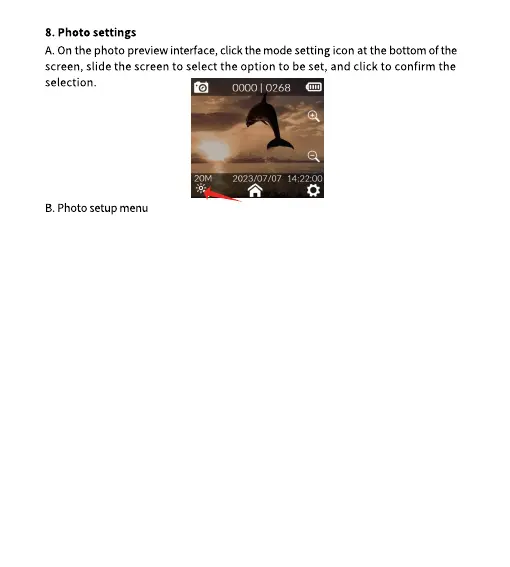
Photo resolution: 20M (5888*3312) , 16M (5376*3024) , 14M (5008*2816) ,
12M (4640*2608) , 10M (4320*2432) , 8M (3840*2160)
Burst mode: Off/3P/5P/10P/30P
Interval shooting: Off/3s/5s/10s/20s/5min/15min/30min
Timelapse photo: Off/3s/5s/10s
Exposure time: Auto, 1/30s, 1s, 2s, 5s, 10s, 20s, 30s
Image Quality: Premium/Standard/Eco
Sharpness: Strong/Normal/Soft
Saturation: High/Normal/Low
Contrast: High/Normal/Low
Noise Cancellation: High/Normal/Low
Image Brightness: High/Normal/Low
White Balance: Auto/Cloudy/Daylight/Tungsten/Fluorescent/Underwater
Color: Normal/B&W/Retro/Warm/Cool
ISO: Auto/100/200/400/800/1600/3200
Exposure compensation: +2.0, +5/3, +4/3, +1.0, +2/3, +1/3, 0.0, -1/3, -2/3,
-1.0, -4/3, -5/3, -2.0
Metering mode: Average/Central/Spot
WDR: Off/On
HDR: Off/On
Fisheye Correction: Off/On
Date tags: Off/Date/Date & time


 To Next Page