
 Need help?
Do you have a question about the SKAARHOJ ETH-SDI and is the answer not in the manual?
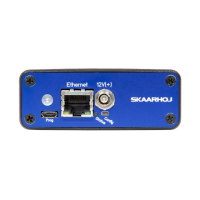
The SKAARHOJ Eth-SDI Link is a versatile device primarily designed to translate UDP commands from a SKAARHOJ control panel into Blackmagic Design (BMD) Camera Control commands via SDI. This functionality is achieved through its "ETH2SDI" firmware. An alternative "ATEM2SDI" firmware is also available, which enables the device to bridge long connections between an ATEM switcher and BMD cameras for sending Camera Control Unit (CCU) data. This is particularly useful in scenarios where a network connection to an ATEM switcher is feasible but an SDI connection is not, such as over vast distances where a VPN can channel network traffic. In such a setup, the ETH-SDI Link extracts data typically embedded on SDI out of the switcher and embeds it locally. It's important to note that the ATEM2SDI firmware requires a low-latency network. When operating with the Eth2SDI firmware in a Blue Pill environment, the device automatically switches to receiving commands via TCP, a feature not available with the Atem2SDI firmware or in a UniSketch-only environment.
The ETH-SDI Link utilizes the Blackmagic Design 3G-SDI Shield, which supports various SDI Level B formats. These include:
A key advantage is that the camera does not need to be running the same video format as the program input. This allows for the use of cameras in Ultra HD while the camera protocol is transmitted over an HD signal to the camera.
For network connectivity, SKAARHOJ controllers, including the Eth-SDI Link, feature a 100 Mbps network interface. The network switch used must support Auto-MDI/MDIX and 100 Mbps speeds. Power over Ethernet (PoE) is supported, adhering to the IEEE 802.3af standard (48V). It's crucial to ensure that any PoE switch or injector used also supports this standard, as non-standard PoE types (e.g., Ubiquity's 24V) are incompatible. SKAARHOJ controllers currently support Half Duplex mode without Auto-Negotiate. When connected to a network switch, a yellow LED on the ethernet jack indicates activity. For direct connections without a switch, a crossed cable or a network switch (the recommended setup) is required if the other device doesn't support TX/RX auto-detection. All SKAARHOJ units on the same network must have unique IP addresses and reside on the same subnet (e.g., 192.168.10.*).
The device offers flexible IP configuration. The IP address can be set via its web interface by pressing and holding the "config" button for about 10 seconds until the status LED blinks red and the serial monitor reports "Config mode." The default and config IP address is 192.168.10.99. Alternatively, for firmware version 1.6 and later, the IP address can be set via the serial monitor using the command ip=X.X.X.X.
The ETH-SDI Link supports various networking setups. In a "Multiple Return" scenario with any controller and switcher, color and tally data are sent from the controller over Ethernet to one or more ETH-SDI Links, which then multiplex this data into SDI ancillary data on the return feed to URSA Mini (Pro) or BMD Studio Series cameras. In a "Single Return" setup, each RCP (Remote Control Panel) sends color and tally data over Ethernet to the ETH-SDI Link, which embeds it into SDI ancillary data. An ATEM Talkback Converter can then embed intercom and distribute the return feed, including SDI ancillary color data, tally, and intercom audio.
Firmware updates are a key maintenance aspect. The latest firmware for the Eth-SDI Link can be found in the "Stand Alone Firmwares" section on the SKAARHOJ website (www.skaarhoj.com/support/firmware-updater/). It's critical to select the correct firmware file that matches the microprocessor type (SKAARDUINO AVR or SKAARDUINO Due) of the device, as they are not compatible. Firmware is loaded from a file using the "Load Firmware from File" option in the "Options" tab of the Firmware Application. It's important to use this specific function and not the "Update Firmware" button in the Firmware Application, as this will render the device useless. The current firmware type and version are displayed in the serial monitor when the device boots up.
Troubleshooting includes several steps for common issues. If the controller is not registered after a firmware update, it indicates that the Eth-SDI Link uses Stand Alone firmware and is not updated via the "Update Firmware" button; the correct procedure is to load the firmware from a file. If the controller doesn't appear under "Port" in the Firmware Application, users should check USB cable connections, ensure the device is powered on, reboot the computer, try different USB cables and ports, avoid USB adapters, and boot the controller in config mode (disconnect power, hold config button, power on, hold until blue light, then release). If these steps fail, a small reset button near the config button can be pressed while the controller is on. For connection issues, power cycling the Eth-SDI Link can help, and it's important to verify that the IP settings for the Device Core in the connected SKAARHOJ controller match those of the Eth-SDI Link.
The device also adheres to WEEE (Waste Electrical and Electronic Equipment) information, indicating that it should not be disposed of with general household waste but rather at designated collection points for proper treatment, recovery, and recycling.
 General
| Brand | SKAARHOJ |
|---|---|
| Model | ETH-SDI |
| Category | Control Panel |
| Language | English |

 To Next Page