
 Need help?
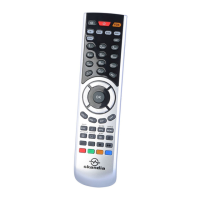
Do you have a question about the skandia RemoteMaster BW600 and is the answer not in the manual?
Preprogrammed FOX button allows direct Foxtel operation without manual setup.
Manually enter a 4-digit code for your AV device to configure the URC.
Search for device codes from the library if the specific code for your AV device is unknown.
Utilize the Auto Search method for URC setup when other methods fail.
Basic operation by aiming the remote and pressing relevant device/function keys.
Control TV volume and mute functions across modes without switching device.
Retrieve and display the 4-digit device code currently entered for the URC.
Reset the URC to factory default settings. Requires complete re-setup.
 General
| Device Type | Remote Control |
|---|---|
| Brand | skandia |
| Model | RemoteMaster BW600 |
| Category | Remote Control |
| Battery Type | AAA |
| Number of Batteries | 2 |
| Power Source | Batteries |

 To Next Page
