EasyManua.ls Logo

Skee Ball Hot Shot - User Manual

Skee Ball Hot Shot
41 pages
Print Icon
To Next Page IconTo Next Page
Loading...
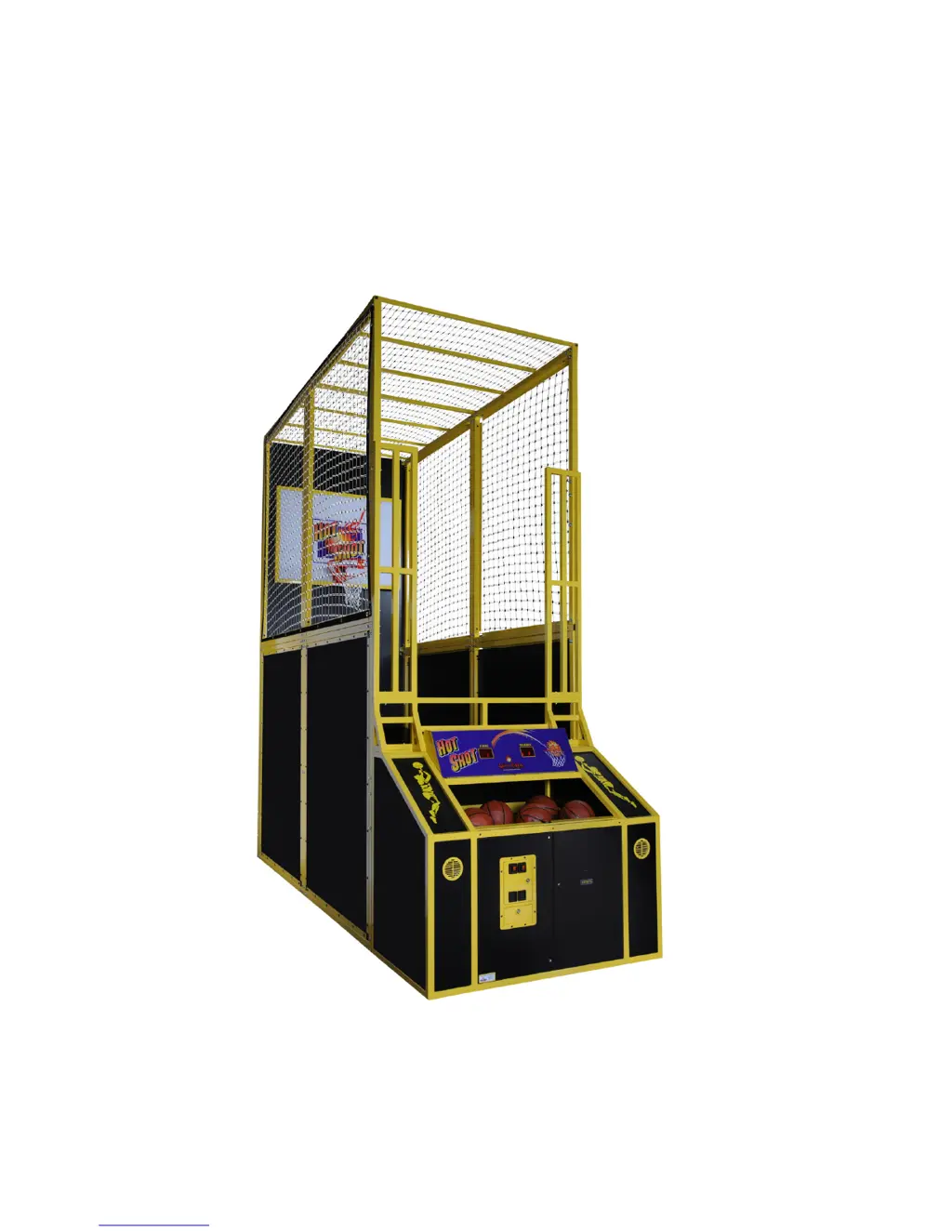
Hot Shot Basketball
Installation and Operation
Manual 990445
02 Oct 15; rev 23+
Skee Ball, Inc., 121 Liberty Lane, Chalfont, PA 18914
Voice: (215) 997-8900
Fax: (215) 997-8982

Questions and Answers

  • A
    Amanda MorganJul 28, 2025
    What to do if ticket count is not accurate on Skee Ball Hot Shot Arcade Game Machines?
    • S
      Sandra WestJul 28, 2025
      If the ticket count is not accurate on your Skee Ball Arcade Game Machines, you can try the following: * Clean the sensor. * Check the cable from the ticket mechanism to the CPU. * Replace the ticket mechanism.
  • M
    Mrs. Kimberly HarrisAug 5, 2025
    What to do if Skee Ball Arcade Game Machine will not coin up?
    • C
      Corey PriceAug 5, 2025
      If your Skee Ball Arcade Game Machine will not coin up, try these steps: 1. Check the connection at the coin mechanism. 2. Replace the switch. 3. Replace the controller.
  • R
    Ryan SanchezAug 11, 2025
    What to do if my Skee Ball Arcade Game Machine is missing scoring?
    • J
      jenniferobrienAug 11, 2025
      If your Skee Ball Arcade Game Machine is missing scoring, here are some steps to troubleshoot: * Adjust the sensors to ensure they detect the ball as it goes downward through the basket, focusing on the upper sensor first, then both sensors, then the lower sensor, and finally neither sensor. * Check the cable from the CPU to the sensor. * Replace the sensor.
  • A
    anthonycookAug 19, 2025
    How to fix 'dS' error on Skee Ball Arcade Game Machines after power-up?
    • T
      Tammy OlsonSep 12, 2025
      If your Skee Ball Arcade Game Machines displays 'dS' and halts after powering up, it means the controller can't find its SD memory card. Make sure the SD memory card on the main controller board is properly inserted.

Summary

WARNINGS

SPECIFICATIONS

ASSEMBLY SEQUENCE

Power-Up Sequence

Game Overview

Idle Display (Attract Mode)

Coins

Game Play

Scoring

End Of Game

Credits

Tickets

MAJOR COMPONENTS

Controller Assembly

Details the location and identity of the main CPU controller.

Program; Counter PCB (Printed Circuit Board)

Describes the PCB responsible for game options and counting tickets/coins.

Programming Display

Explains how game displays are used for option programming.

Power Supply

Locates the game's power supply unit.

Ball Release Actuator

Explains the function and location of the ball release mechanism.

Speakers

Identifies the location of the game's audio speakers.

Ticket Dispenser

Describes the device that dispenses tickets to players.

Coin Mechanisms (Coin Mechs); Cash Box

Details the location of coin acceptors and the cash box.

Game Time and Score Displays

Explains the dual displays for game time and player scores.

Opto-Sensors

Describes the sensors that detect scoring baskets.

SD Card (contains certain sound data)

Notes the importance of the SD card for game sound data.

Game Options; How to program

Programmable Options

Lists and explains various game settings adjustable by the operator.

Discount Games Programming Examples

Provides examples of how to configure discount game settings.

TICKET DISPENSER

Basic operation of ticket dispenser model DL1275 H

Explains the fundamental working principles of the ticket dispenser.

Ticket Dispenser Components

Details the key parts that make up the ticket dispensing mechanism.

Parts Reference

GENERAL TROUBLESHOOTING

Returned Components

WARRANTY

Wire Schematic

Skee Ball Hot Shot Specifications

General IconGeneral
BrandSkee Ball
ModelHot Shot
CategoryArcade Game Machines
LanguageEnglish

Related product manuals