EasyManua.ls Logo

SKF TMEA 2 - Vertical Alignment Adjustment

SKF TMEA 2
35 pages
Print Icon
To Next Page IconTo Next Page
To Previous Page IconTo Previous Page
Loading...
26
S
h
a
f
t
a
l
i
g
n
m
e
n
t
t
o
o
l
S
K
F
T
M
E
A
2
a)
If
th
e m
ea
su
re
d c
ou
pl
in
g
values are within the
tolerances, the Movable
machine does not have to be
adjusted. Correct the
horizontal misalignment.
Continue to chapter 3.8.3
Horizontal alignment.
b)
If
th
e m
ea
su
re
d c
ou
pl
in
g
values are higher than the
acceptable tolerances check
the recommended corrections
of the feet.
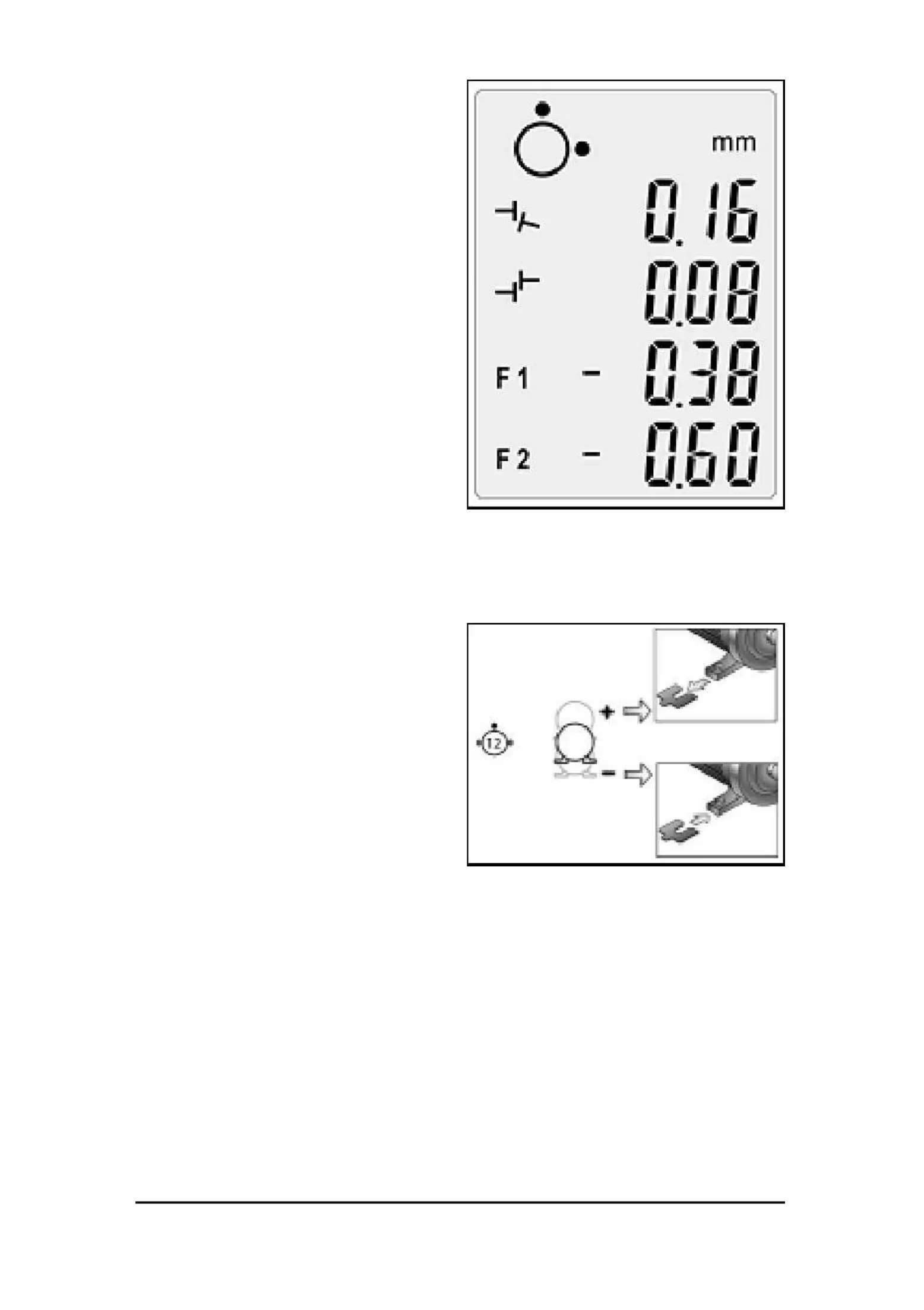
The F1 and F
2 values on the
display indicate the relative
positions of the
Movab
le machine
when viewed from the side
(f
ig
.
21
).
A positive value means that the
feet are too high and need to be
lowered while a negative value
means t
he oppo
site (f
ig.
22).
Loosen the feet of the movable
machine.
Use the shims included with the
tool to adjust the height of the
machine. Observe the coupling
and feet values live adjustment.
After having carried out the
vertical alignment proceed to the

horizontal alignment
(ch
apt
er
3.8
.3)
.
Fig.
21.
Displ
ay ve
rtica
l al
ignme
nt
Fig.
22.
Ve
rtical
align
ment

Related product manuals