INTRODUCTION
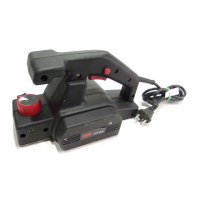
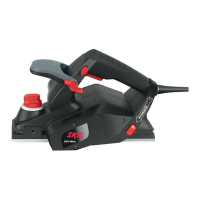
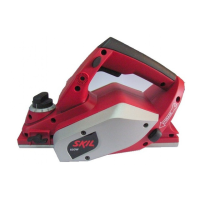
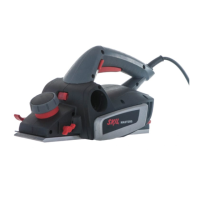
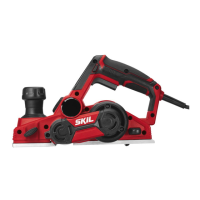
● This tool is intended for planing wooden materials such
as beams and boards; it is also suitable for chamfering
edges and rabbeting
TECHNICAL SPECIFICATIONS 1
SAFETY
● Read and save this instruction manual (pay special
attention to the safety instructions at the back)
● Avoid damage that can be caused by screws, nails and
other elements in your workpiece; remove them before
you start planing
● Always keep the cord away from moving parts of the tool
● When you put away the tool, switch off the motor and
ensure that all moving parts have come to a complete
standstill, or use safety support J 5
● SKIL can assure flawless functioning of the tool only
when original accessories are used
● In case of electrical or mechanical malfunction,
immediately switch off the tool and disconnect the plug
● Use completely unrolled and safe extension cords with a
capacity of 16 Amps (U.K. 13 Amps)
● This tool should not be used by people under the age of
16 years
● The noise level when working can exceed 85 dB(A);
wear ear protection
● If the cord is damaged or cut through while working, do
not touch the cord, but immediately disconnect the plug
● Never use tool when cord is damaged; have it replaced
by a qualified person
● Always check that the supply voltage is the same as the
voltage indicated on the nameplate of the tool (tools with
a rating of 230V or 240V can also be connected to a
220V supply)
● If any chip should get jammed in the chip outlet, you
should switch off the motor, ensure that all moving parts
have come to a complete standstill, disconnect the plug,
and remove the jammed chip
● Ensure that the screws with which the knife is fastened
are tightened finger tight
● Before using the tool check that the knife does not brush
anywhere
● Keep your fingers away from the rotating knife
● Only use carbide-tipped (TC) knives with this tool
● Always disconnect plug from power source before
making any adjustment or changing any accessory
WHEN CONNECTING NEW 3-PIN PLUG (U.K. ONLY):
● Do not connect the blue (= neutral) or brown (= live) wire
in the cord of this tool to the earth terminal of the plug
● If for any reason the old plug is cut off the cord of this
tool, it must be disposed of safely and not left
unattended
USE
● Safety switch 2
Prevents the tool from being switched on by accident
- tool is switched on by pulling switch B while pressing
knob A
- tool is switched off by releasing switch B
! before switching on the tool, ensure that only the
front shoe rests on the workpiece and that the
knife does not touch it
! before switching off the tool, you should lift it
from the workpiece
● Safety bracket H 4
- prevents contact with rotating knife
- opens automatically when planing rabbets
● Safety support J 5
- protects workpiece from damage when tool is put aside
- will automatically fold backwards when planing
● Key storage 2
● Changing knive 3
This plane is equipped with a non-grindable knife with
cutting edges on both sides; so if one side has become
blunt, the other side can be used
! switch off the tool and disconnect the plug
- take hex key from storage
- turn plane upside down
- loosen screws C max. 180°
- for loosening knife tap strip L with piece of wood, as
illustrated, until the strip releases
- push knife out of knife pulley with piece of wood
- put knife back in knife pulley in reversed position, or
use new knife
! groove in knife should match ledge in knife pulley
! ensure that knife end near safety bracket aligns
with edge of foot (set a ruler flat against housing as
illustrated and use it as a stopper)
- fasten screws C finger tight
! in case of considerable vibration, check if
accidentally a HSS-knife was used; only use
carbide-tipped (TC) knives (SKIL accessory
2610373095)
! change knife in time; only use sharp knives
● Adjusting planing depth
- turn knob D 2 to select required depth
- use arrow on plane as reference
● Dust suction
- mount vacuum cleaner adapter E 4
- connect vacuum cleaner to extension F 4 for optimal
dust pick-up performance
● Planing rabbets 4
! ensure that the knife does not brush anywhere
- select required planing depth
- select rabbeting depth by using rabbeting depth
adjuster G
- place tool on workpiece
- start planing
- safety bracket H opens automatically
- maximum rabbeting width 82 mm
- maximum rabbeting depth 10 mm
3
XP SKIL 1507/1512 28-05-2002 11:55 Pagina 3


 To Next Page
 Loading...