Page 3
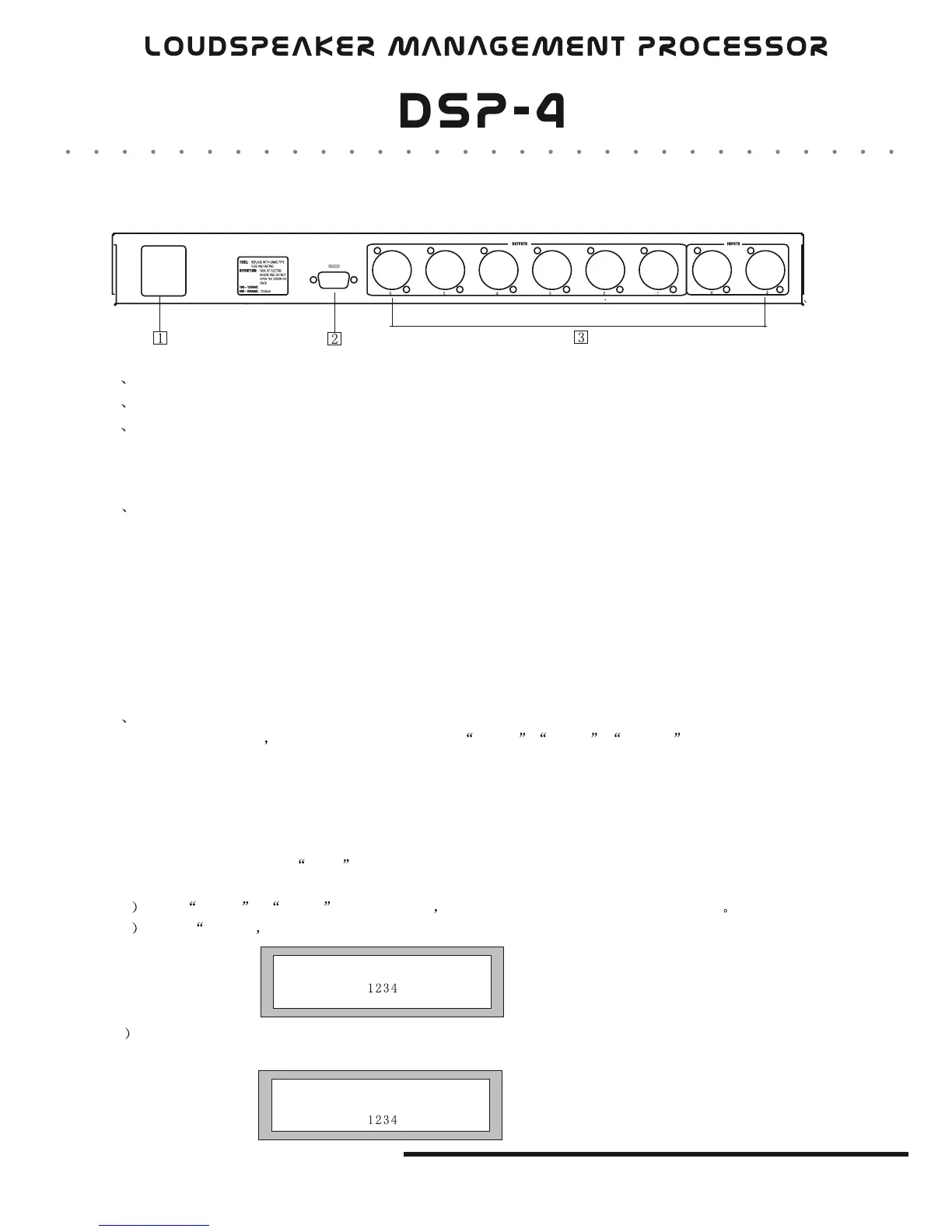
1 Power Jack
2
3
RS232 interface
XLR input and output terminal
T500mA
1 Xover Submenu
Push "MENU" button, use "BACK" "NEXT" "ENTER" to adjust X-OVER submenu,
Include:
Load a xover: adjust a stored mode.
Design a xover; design a xover mode, include a mode type, stereo connect control, input channel
adjustment.
Store a xover: Store all output setting of a X-OVER. There are 10 user memory. Each memory may
have a name contains 16 letters. If the memory name is not edited, it is stored under the corresponding mode
name.
Erase a xover: Delete a stored mode.
2 Security submenu
Push MENU botton adjust Security Submenu by BACK NEXT , ENTER
The locking mode as follows:
Change only: Parameters can be viewed, can not be adjusted. MUTE is valid
Change +View: Parameters can not be viewed, can not be adjusted. MUTE is valid.
Change +Mutes: Parameters can be viewed, can not be adjusted. MUTE is not valid
Everything: Parameters can not be viewed, can not be adjusted. MUTE is not valid.S
Select a lock type and push Enter button
A Push BACK & NEXT shift the cursor turn round PARAM to change the character
B Push ENTER comfirm the password and display as follows.
C Repeat procedure A and push ENTER button.
D) System is locked when the password is same, or the locking operation is invalid.
OPERA TION
Enter Security Code
[ ]
Confirm Security Code
[]
Rear panel


 To Next Page