
 Need help?
Do you have a question about the SKP Pro Audio USD-6010 and is the answer not in the manual?
Lists essential safety instructions for operating the apparatus.
Alerts users to prevent fire or electric shock by avoiding moisture.
Warns against opening the unit; servicing requires qualified personnel.
Explains lightning flash and exclamation point symbols for user safety.
Advises on safe use of polarized plugs to prevent electric shock.
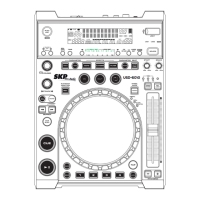
Describes core controls like USB Port, Source Select, Dials, and Buttons.
Details Jog Wheel functions, Sample, and Cue controls.
Covers Save, Clear, Play/Pause, Cue, Search, and Effect controls.
Explains Loop, Sync, MIDI, and Audio Output functions.
Describes Power, Relay, USB MIDI, USB 2, and Headphone ports.
Explains various indicators like Play, Pause, Cue, BPM, and USB status.
Details Time Meter, Track Display, and Time Bar indicators.
Covers Jog Mode, Playlist, Sensitivity, Pitch Bend, and Line Setup.
Details Sleep Time, Intensity, MIDI settings, and Version info.
Explains loading defaults and exiting/saving menu settings.
Software for searching music files by metadata.
Step-by-step guide for installing the database builder software.
Covers scanning drives, creating databases, and playlist settings.
Addresses issues with running the database builder on Windows Vista.
Lists CPU, RAM, Disk Space, and OS requirements for the software.
Steps to configure the main player for linking with another player.
Specifies recommended gauge and length for USB cables.
Connects the second player via USB MIDI port for linked playback.
MIDI values for switches and encoders (CC Type, NOTE).
MIDI values for VR controls, LEDs, and playback functions.
Explains CC absolute and relative modes for controller messages.
Details messages for switches and LEDs (ON/OFF values).
 General
| Brand | SKP Pro Audio |
|---|---|
| Model | USD-6010 |
| Category | Media Player |
| Language | English |

 To Next Page