POURING WINE
The One Wine System chills, pours
and preserves your wine so it is ready to
enjoy…one perfect glass at a time. The buttons
that control preservation and pouring are
located on the top of the unit.
1. When the amber light is illuminated on the
“Preserve/Unlock to Pour” Button, the
Chilling Chamber is in preservation mode.
2. Simply press the “Preserve/Unlock to Pour”
to enable the Pour feature. (See Figure A.)
3. A solid green indicator light on the “Pour
Button” will indicate that the bottle is ready
to pour. Be sure the chamber door is closed
and remains closed before you pour.
4. Hold the glass under the Pour Spout before
pressing the Pour Button; wine will begin to
flow when you press the button.
5. Press and hold the Pour Button to pour
wine. Never open the chamber door while
pouring wine.
6. When you have finished pouring, release the
Pour Button and allow the last drop to flow
into your glass before pulling it away from
the Pour Spout.
• The green Pour Button indicator light will
remain lit, and additional glasses can be
poured.
• The bottle will automatically return to
preservation mode after 30 minutes of
inactivity. Or, you can manually return the
bottle to preservation mode by pressing the “Preserve/Unlock
to Pour” Button. The blinking amber light will indicate that the
unit is returning to preservation mode.
Please note: Many wines contain sediment that settles in the
bottom of the bottle. The One Wine System is designed
to leave a small amount of wine in the bottom of every “finished”
bottle to avoid dispensing this unwanted sediment.
CHANGING TEMPERATURE SCALE
The One Wine System allows you to
select between the Fahrenheit (F) or Celsius (C)
temperature scale.
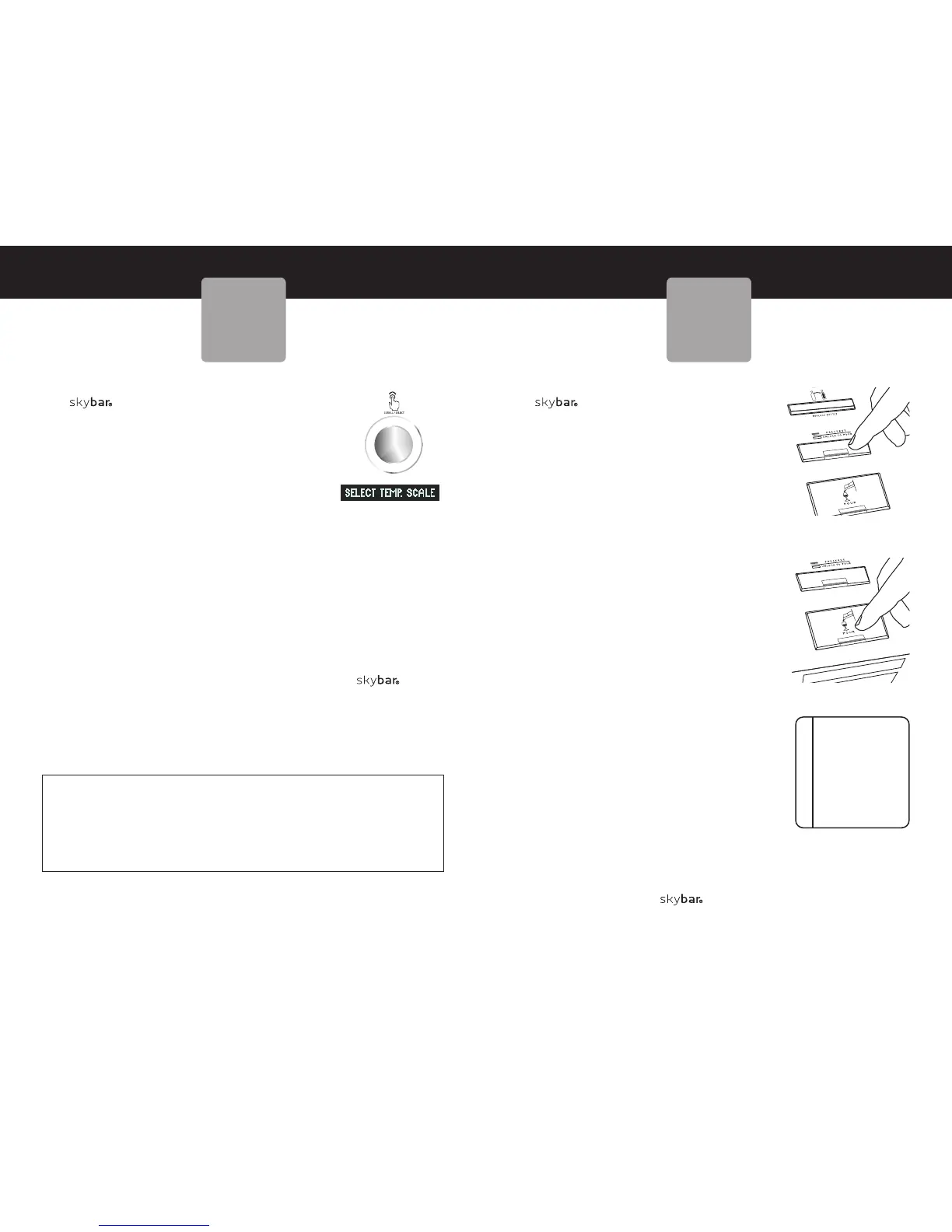
• Press and hold the Control Knob for 3
seconds. SELECT TEMP. SCALE will appear
in the display. (See Figure A.)
• Rotate the knob clockwise or counter-
clockwise to toggle between Fahrenheit
and Celsius.
• Once the desired scale is displayed, press the Control Knob
to save the desired setting.
For Optimum Performance
• Close the door, the display will indicate if a door is left open.
After 60 minutes, if the door is left open, the chilling function will
shut off.
Important note:
For optimum cooling, thermoelectric products like the One
Wine System should be in an environment with a room temperature
72°F/22°C or less. A higher room temperature will result in a slightly
warmer internal chamber temperature.
Please reference below chart for approximate room temperatures and
the resulting coldest internal wine chamber temperatures:
17
skybarhome.com
16
skybarhome.com
Approx.
Room Temperature
72°F/22°C
74°F/23°C
76°F/24°C
Approx. Internal
Wine Chamber Temperature
45°F/7°C
47°F/8°C
49°F/9°C
SAVOR EACH
DROP.
Don’t waste a drop of
your favorite wine. Be
sure to release the Pour
Button and wait a
moment or two before
moving your glass away
from the Pour Spout.
SUGGESTION
Figure A
POURING
WINE
SETTING THE
TEMPERATURE
Figure A
Figure B



 To Next Page
 Loading...