Appendix B Activating Commands
• This section shows you how to activate commands in order to add certain functions to the control panel.
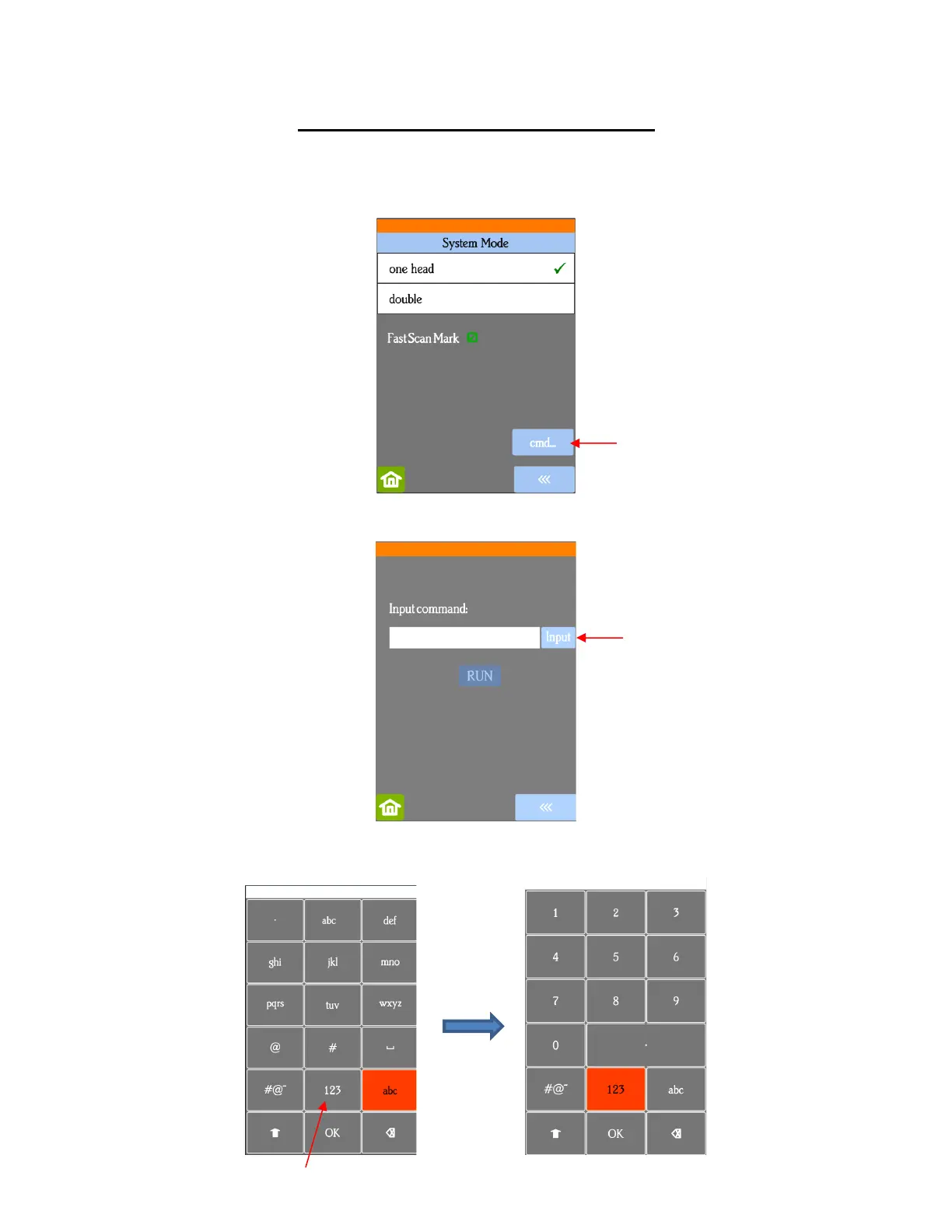
• Go to Set>Advance settings>System Mode and press the cmd… button:
• The following screen opens. Press Input:
• The Input code is entered in the same way as you entered your Network password but since it’s a 3-digit
code, you’ll begin by pressing the 123 button:



 To Next Page