Part two
Status bar
① Icon for connecting internet by network port or USB
② Icon for connecting well between the TX and RX (icon in picture shows no connecting with
RX)
③ Icon for Power level
④ Icon for Time
⑤ Icon for return
⑥ Icon for back home
⑦ Icon for back ground management/screen splitter
Part three
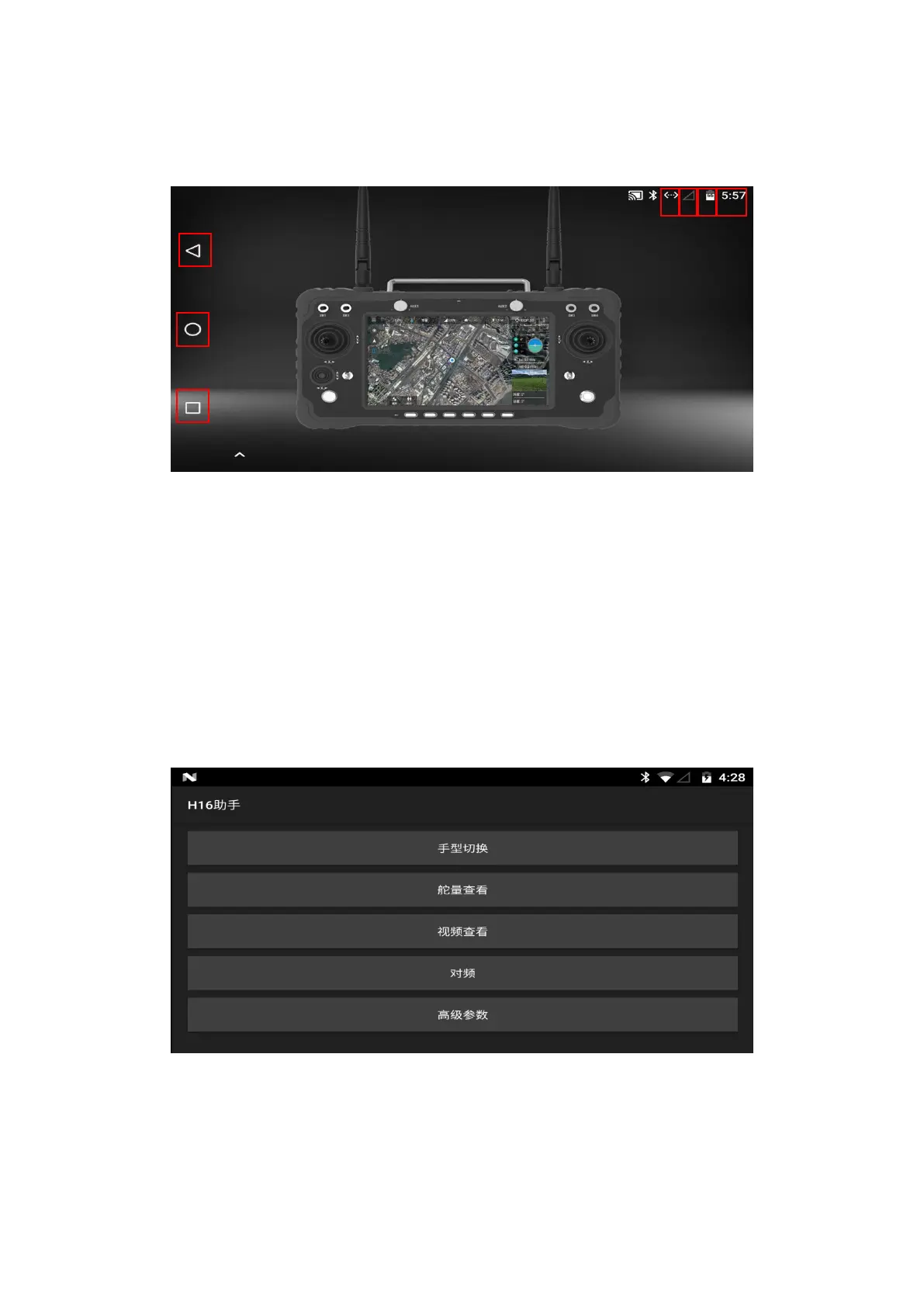
H16 Helper
① Switch the joystick operation mode of the remote control
② Check whether the value of each channel of the remote control is normal or not
③ You can view MIPI, HDMI, UART VIDEO and other RTSP videos (details are described below)
④ Binding the remote control with other receivers (the binding method is introduced below)
⑤ In the advanced parameters setting part, you can adjust the channel, upgrade the joystick


 To Next Page
 Loading...