firmware, and modify the receiver’s serial port baud rate (password 999, it is only for
professional debugging)
Part four
Binding operation
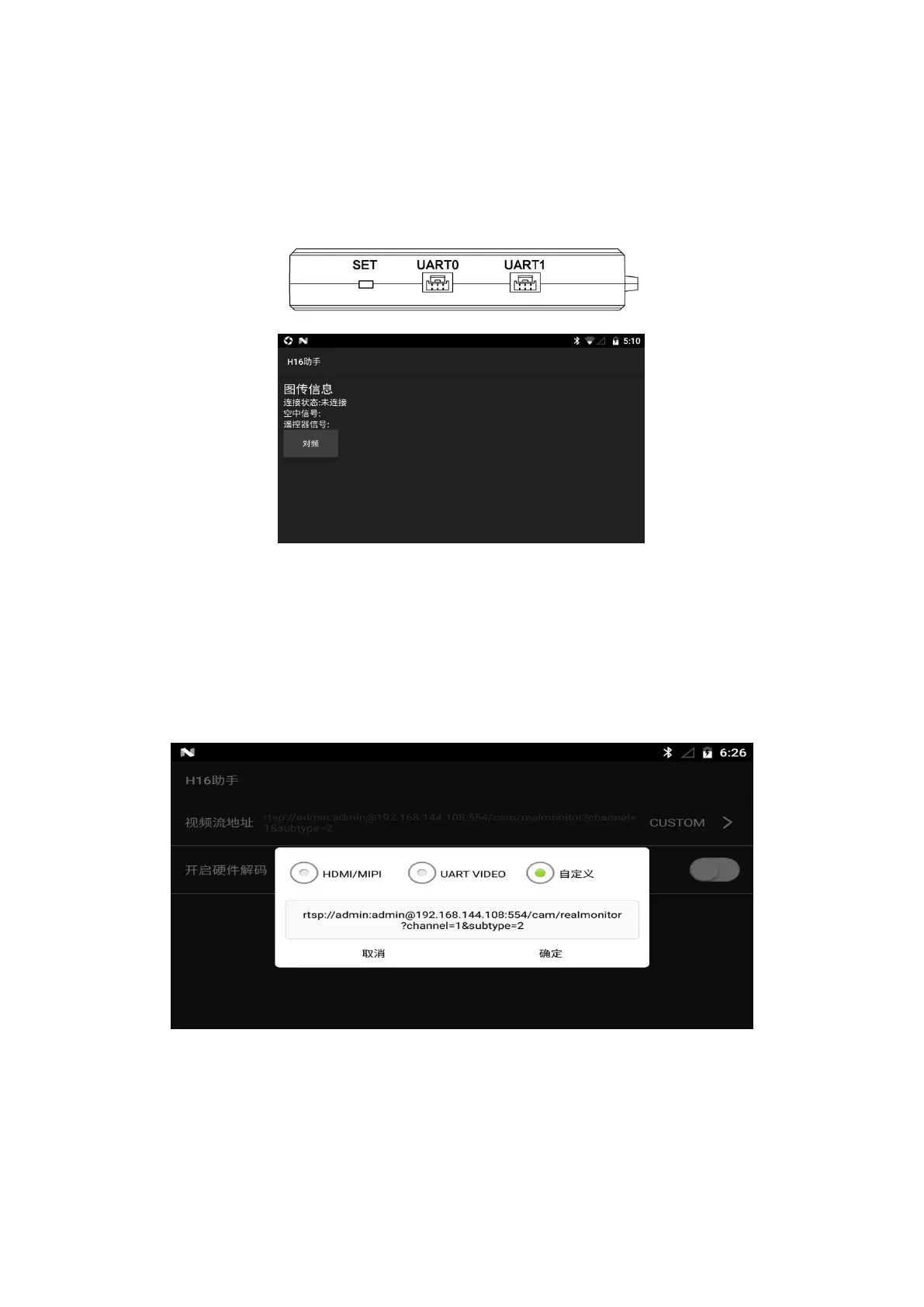
① After powering on the receiver, wait 3-5 seconds, then press and hold the receiver “SET”, and
release “SET” when the white light flashes
② Enter the H16 helper, click on the “binding”, click on the “binding” (after the binding is
successful, it will show “connected”)
Part five
Video/Image connection and settings
① The factory default setting is HDMI/MIPI mode, which is used to display the video/image
transmitted through MIPI/HDMI from the receiver
② UART VIDEO mode, to display single-axis gimbal and MINI camera videos/images (need to
connect other conversion board)
③ Custom mode, this mode displays the video/image transmitted through the network port of
the receiver


 To Next Page
 Loading...