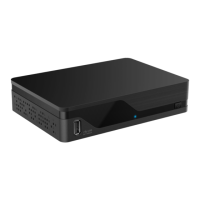
1. SAT cable: Conne your satellite antenna
2. TV: Conne your TV using the HDMI cable
3. Internet: Conne to Internet via LAN cable or set up
the receiver for Wifi (see Step 2)
4. Power: Plug in the power cable
5. USB: Conne external memory (hard HDD/USB drive)
for local recordings and local timeshi-TV
6. Switch on: Press the power buon on the top side or
press the power buon on the RCU
1 2
4
3
6
5
STEP 1
CONNECTING AND SWITCHING ON
SAT cable
HDMI cable Power cable
LAN cable
!
Security advice: Do not use your SAT receiver
in a closed or insuciently ventilated cabinet,
direly on or under another device or when the
ventilation slots of the receiver are covered.
Connect your External Hard Disc Drive
When the hard disc is conneed, you can enjoy the following features:
■
Local TV recordings
- Inant recording of current
- Timer-recording to future/upcoming TV
■
Timeshi recording
You can sele one of these two Timeshi options under “Menu/Seings/PVR/Timeshi”:
- Auto: Ongoing recording of the TV program
- Manual: Manual trigger to perform time shi with Pause Live-TV funion at any time
How you conne your external hard disc drive to your receiver:
1. Please conne your external hard disc drive (not included) with a orage capacity of at lea
16 GB and maximum 3 TB to the USB port on the le side of your MZ-104.
2. Format hard disc: In order to use your hard disc it has to be formaed by the SAT receiver.
When you conne your hard disc, an automatic reque for formaing will be dilayed.
Press the OK buon to art the formaing process.
EN



 To Next Page